
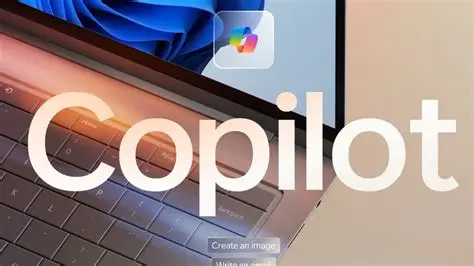
Logo for Microsoft Copilot (png, svg)
Did you know that a great logo can increase brand recognition by as much as 80%? In our digital age, where tools like Microsoft Copilot are changing how we work, having an eye-catching logo is crucial.
This article will explore the design journey of Microsoft Copilot’s logo. We’ll look at the ideas and thoughts that shaped it.
A logo isn’t just a picture; it represents the brand’s mission and values. The design aims to connect with users and convey empowerment and productivity.
By the end of this article, you’ll see how a simple symbol can express complex ideas. Understanding this can help businesses create logos that truly resonate with their audience.
Microsoft Copilot Products Overview
Microsoft Copilot is a collection of smart tools designed to help you work more efficiently and creatively. These products use advanced technology to assist in various tasks, whether you’re writing documents, creating presentations, or analyzing data.
Microsoft Copilot
Microsoft Copilot serves as an all-purpose AI assistant designed for everyday tasks. It facilitates chatting, writing, searching, and image generation, making it a versatile tool for personal productivity. Available in both free and premium versions (Copilot Pro), users can choose the level of functionality that suits their needs.
Microsoft 365 Copilot
Integrated into familiar applications like Word, Excel, PowerPoint, Outlook, and Teams, Microsoft 365 Copilot enhances business productivity. It assists with document creation, data analysis, presentation design, and email summarization. This tool is primarily tailored for business and enterprise users, streamlining workflows across various tasks.
GitHub Copilot
GitHub Copilot is an AI assistant specifically designed for coders. It offers intelligent code suggestions within programming editors, greatly enhancing the coding process. This tool is widely used by developers to improve efficiency and reduce coding time.
Windows Copilot
Windows Copilot is embedded directly into the Windows operating system. It assists users with settings adjustments, task management, and overall productivity enhancement. This integrated tool aims to simplify navigation and improve user experience.
Microsoft Security Copilot
Focusing on cybersecurity, Microsoft Security Copilot aids organizations in threat detection and security data analysis. This tool is essential for IT professionals, helping to identify vulnerabilities and strengthen security measures.
Copilot for Business (Dynamics 365)
Copilot for Business is designed for use in key areas such as Sales, Finance, and Customer Service. It automates routine business tasks and generates insightful reports, optimizing efficiency across various functions.
Copilot Studio
Copilot Studio empowers organizations to create customized AI assistants tailored to their specific needs. With this tool, businesses can design and deploy their own Copilots, enhancing specificity and relevance in their workflows.
Microsoft Copilot logo

The Microsoft Copilot logo represents innovation and guidance. Its simple, modern design reflects ease of use and the user-friendly nature of Microsoft products. The bright colors make technology feel welcoming and approachable.
Microsoft Copilot is a smart tool that helps make work easier and faster. It uses advanced AI technology to assist users while creating documents, spreadsheets, emails, and presentations.
Copilot works like a helpful assistant inside your software. It can suggest ideas, improve writing, provide templates, and automate repetitive tasks. This saves time and helps users focus on important and creative work.
Whether you are writing an email or preparing a detailed report, Copilot guides you step by step. It learns from your preferences, so its suggestions improve over time.
Overall, Microsoft Copilot acts as a reliable partner, helping users work more efficiently and confidently. It allows people to focus on creativity instead of routine tasks, making productivity smarter and simpler.
Get the clear Copilot logo in either PNG or SVG format and include it in your project as needed.
Copilot icon color codes:
Here are the color codes used in the logo:
- #199fd7
- #fc7942
- #99bd3c
- #8a50d8
- #ee5091
Microsoft 365 Copilot Chat logo

Microsoft 365 Copilot Chat is the free version of Copilot that comes with Microsoft 365 subscriptions. Although it doesn’t have its own unique logo, Microsoft often uses a blue version of the Copilot logo to represent this tool.
This edition of Copilot differs from others because it doesn’t access information directly from Microsoft 365 apps. Instead, it pulls data from the web and uses advanced language models to provide assistance.
Microsoft 365 Copilot is an AI helper designed to work with popular apps like Word, Excel, and Teams. It helps users automate repetitive tasks, generate new content, and gain insights from their data.
By leveraging these advanced language models, Copilot makes it easier for users to be more productive and manage their work efficiently. This product is the foundation of Microsoft’s larger Copilot portfolio and was the first solution of its kind introduced to the market.
Microsoft 365 Copilot Chat icon color codes
Here are the color codes for the Microsoft 365 Copilot Chat icon, represented in HEX:
- #1b88d8
- #0cafe1
- #3ecfa6
- #16bbc1
- #1c57db
Microsoft 365 Copilot logo
The Microsoft 365 Copilot Logo represents an innovative AI assistant that works seamlessly with Microsoft 365 apps like Word, Excel, PowerPoint, and Teams.
This logo is often designed with abstract shapes and colors, suggesting themes of assistance and teamwork. It’s more than just a pretty picture; it stands for the Copilot brand, which focuses on making tasks easier for users.
With Copilot, you can automate repetitive chores, saving you time and effort. It also helps you generate content quickly and easily, making writing and designing a breeze.
In addition, the AI can provide valuable insights from your data, enhancing your decision-making process. Overall, the logo signifies productivity and innovation, showcasing how AI can support everyday tasks within Microsoft 365.
Whether you’re crafting a document or analyzing data, Copilot is there to help you every step of the way.
Microsoft 365 Copilot icon color codes
Here are the color codes for the Microsoft 365 Copilot logo:
- #199fd7
- #fc7942
- #99bd3c
- #8a50d8
- #ee5091
- #040404
- #f9f9f9
Copilot Studio logo
The Copilot Studio logo is a vibrant and eye-catching design. It features a modern look that reflects creativity and innovation. The colors blend well together, making it stand out clearly.

At the center, you’ll notice a unique symbol that represents collaboration and teamwork. This symbol reminds us that great ideas often come from working together. Surrounding it are playful, dynamic lines that suggest movement and growth.
Overall, the logo successfully captures the spirit of Copilot Studio. It invites people to explore and join a community focused on creativity. Whether you see it online or in print, the logo is sure to leave a memorable impression.
Copilot Studio logo color codes
Here are the color codes used in the logo:
- #0354a3
- #32c4e1
- #0b82be
- #7cedda
- #107b9b
Conclusion
The logo for Microsoft Copilot embodies the essence of creativity and collaboration. Its sleek design not only captures the innovative spirit of the program but also makes it easily recognizable. This logo serves as a visual representation of the powerful features Copilot offers to users, enhancing productivity and streamlining tasks. By connecting design and function, Microsoft has created a symbol that resonates with its audience. Embrace the new era of creativity with Copilot