10 Best Grammarly AI Alternative Tools
Nearly 80% of people face challenges with grammar in their writing. If you find yourself in this group, you’re definitely not alone. Thankfully, using the right tools can greatly improve your writing skills.
In this article, we will look at some of the best alternatives to Grammarly. These options cater to a variety of needs, whether you’re a student tackling essays, a professional drafting emails, or just someone who loves to express themselves through writing.
Each tool offers unique features designed to enhance your writing. With the right support, you can boost your confidence and produce clearer, more effective text.
Get ready to explore some alternatives that might work even better for you than Grammarly!
1. ProWritingAid
ProWritingAid is a comprehensive writing assistant that offers more than basic grammar checks. It provides detailed feedback on grammar, word choice, and style through comprehensive reports. The tool identifies overused words and offers suggestions for alternatives to keep writing engaging.
Additionally, it assesses readability, which is important for longer texts like articles and books. ProWritingAid integrates smoothly with platforms such as Microsoft Word, Google Docs, and Scrivener, allowing users to write comfortably while receiving valuable support. Overall, ProWritingAid helps elevate the quality of your writing significantly.
Pricing Plans
- Free version available with some restrictions.
- Premium plan: approximately $120 per year, or about $10 each month.
- Premium Plus (includes plagiarism detection): roughly $144 annually.
- One-time payment for a lifetime license: around $399 to $499.
Pros
- In-Depth Analysis: Provides detailed grammar, style, and readability assessments, enhancing overall writing quality.
- Comprehensive Reports: Offers over 20 writing reports that help improve structure and clarity, making writing more effective.
- Wide Integration: Seamlessly integrates with popular platforms like Word, Google Docs, and browser editors, facilitating easy access.
- Customizable Feedback: Allows for personalized writing suggestions, catering to different writing styles and preferences.
- Real-Time Suggestions: Provides instant feedback, enabling writers to make corrections on the spot and improve their writing process.
Cons
- Limited Plagiarism Features: Plagiarism checking is only available in the Premium Plus version, restricting accessibility for some users.
- Overwhelming for Beginners: The extensive features and options may be daunting for new users, hindering the learning process.
- Absence of Mobile App: Lacks an official mobile application, limiting usability for writers who prefer to work on the go.
- Subscription Costs: Ongoing costs for premium features may be a barrier for budget-conscious users.
- Dependency Risk: Users may become overly reliant on the tool, potentially stunting their own writing development over time.
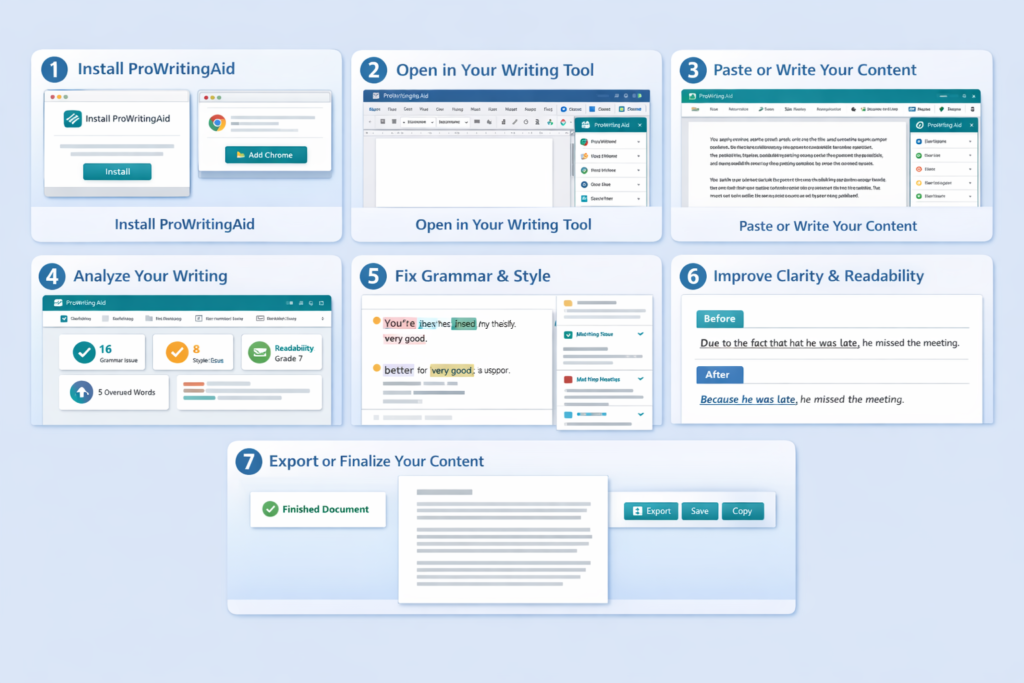
How It Works
- Paste text or upload documents in various formats.
- Analyzes grammar, spelling, punctuation, style, readability, and sentence structure.
- Highlights errors with underlines and color codes for easy identification.
- Click on issues for correction suggestions and explanations.
- Generates detailed reports on grammar, style, and pacing.
- Advanced tools like Rephrase and Sparks enhance text creatively.
- Users control which suggestions to accept, preserving their unique voice.
2. Quetext
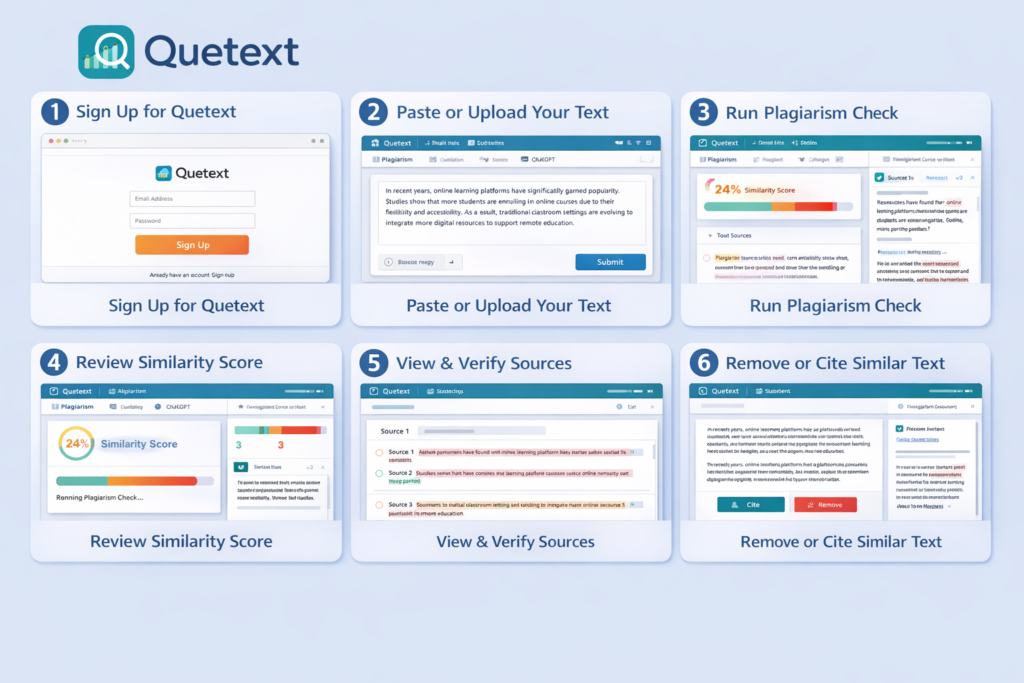
QueText isn’t your ordinary grammar checker; it’s all about finding unoriginal content and preventing plagiarism. Using its special DeepSearch™ technology, it scans your text to spot both exact and close matches. Plus, it offers handy features like AI detection, paraphrasing help, and a citation generator, making it easier for you to create original work.
Pricing Plans
- Free Option: Basic checks for plagiarism and AI (some limits apply).
- Essential Plan: For individuals, starting at about $13.99 per month.
- Professional Plan: For teams and frequent users, starting at around $29.98 per month.
- Additional: Packages with paraphrasing tools are also offered.
Pros
- DeepSearch™ Technology: This advanced feature offers robust plagiarism and AI-generated content detection, ensuring high-quality writing.
- Citation Generator: The included citation generator simplifies the process of creating accurate references for various formats, enhancing academic integrity.
- Color-Coded Reports: The visual, color-coded plagiarism and AI reports make it easy to understand the content’s originality and potential issues at a glance.
- User-Friendly Interface: The platform is designed for ease of use, allowing users to navigate and access tools without hassle.
- Comprehensive Analysis: The tool provides in-depth analysis that helps users improve their writing skills and understand the nuances of originality.
Cons
- Limited Free Plan: The free version restricts users to approximately 500 words, which may not be sufficient for larger projects.
- No Mobile App: The absence of a dedicated mobile application limits accessibility and convenience for users on the go.
- Potential False Positives: The AI detection may occasionally flag legitimate content as plagiarized, causing unnecessary concern for users.
- Subscription Costs: Premium features may come with a higher subscription fee, which can be a barrier for some users.
- Dependence on Internet: The platform requires a stable internet connection, which may pose challenges for users in low-connectivity areas.
How It Works
- QueText uses DeepSearch™ technology for plagiarism detection in writing.
- Scans text against a vast database of web content.
- Analyzes phrases for context and word placement, not just exact matches.
- Includes an AI content detector for identifying non-original content.
- Features a citation generator for proper source crediting.
- Helps maintain freshness and originality in writing.
3. CopyLeaks
CopyLeaks is a helpful tool for checking if your writing is original. It’s often used by students and professionals to make sure their work isn’t copied from other sources online. While it doesn’t focus on fixing grammar mistakes, it plays an important role in keeping academic honesty and ensuring that content is authentic. With CopyLeaks, you can easily verify that your text is unique and free from plagiarism.
Pricing Plans
Provides free scanning with some restrictions, along with paid plans or quotes for larger companies that include API access. Businesses are charged based on their usage levels.
Pros
- AI Content & Plagiarism Detection: The system effectively identifies duplicate content, ensuring originality in academic and professional writing.
- Designed for Compliance: It adheres to academic and business standards, making it suitable for various institutions and organizations.
- Integration with LMS: Seamless compatibility with Learning Management Systems facilitates easy use in educational settings.
- API Support: The availability of API support allows for customization and integration with other tools and platforms.
- Streamlined Workflow: The technology enhances writing efficiency and quality, aiding users in producing polished content.
Cons
- Complexity for Casual Users: The system may be overly intricate for casual writers, leading to a steep learning curve.
- Lack of Price Transparency: The need for custom quotes can make it difficult for potential users to gauge affordability and budget accordingly.
- Potential Over-Reliance on Technology: Users may become too dependent on AI, undermining their own writing skills.
- Limited Versatility: Its focus on academic and business compliance may restrict its applicability for more creative writing needs.
- Technical Issues: Users could experience software glitches or compatibility issues that disrupt their writing process.
How It Works
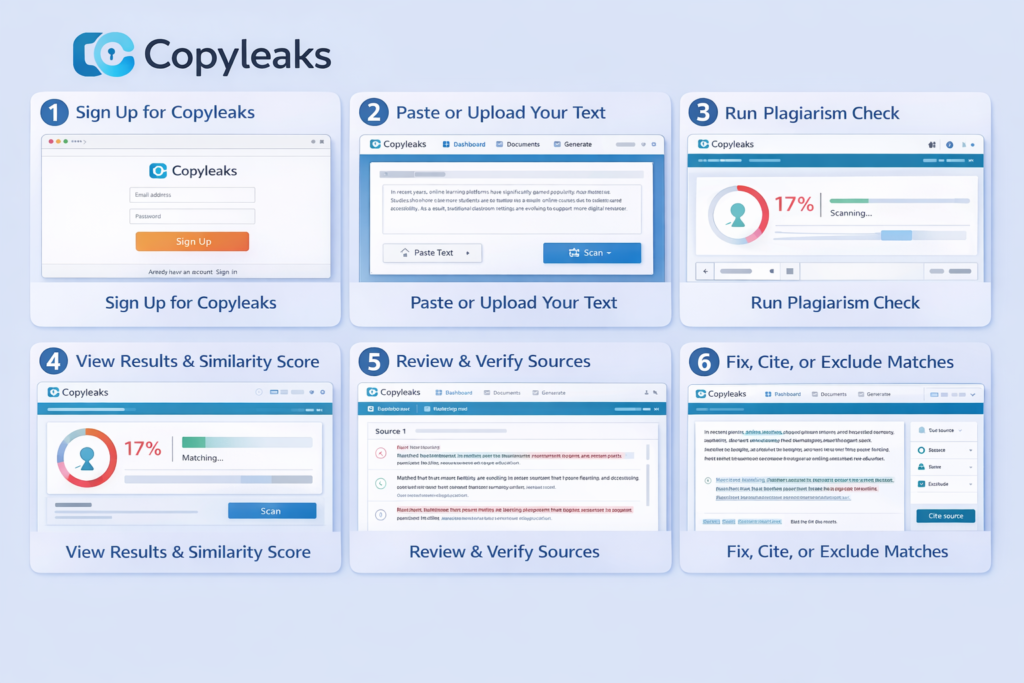
- CopyLeaks checks for plagiarism and AI-generated content.
- It breaks texts into smaller parts for analysis.
- Compares content against a vast database of sources.
- Detects exact duplicates and paraphrased material.
- Provides a detailed similarity report post-analysis.
- Report shows match percentages and source locations.
- Ensures originality in writing and avoids unintentional borrowing.
4. WhiteSmoke
WhiteSmoke offers a comprehensive writing assistance experience. This traditional tool excels at checking grammar, punctuation, and spelling. It also enhances style and offers translation features. With ready-made templates, it meets the needs of various users, particularly non-native speakers and business professionals.
Pricing Options
- Web Plan: Approximately $5.00/month (about $59.95 billed annually).
- Premium Plan: Roughly $6.66/month (around $79.95/year) featuring additional options like one-click proofreading.
- Business Plan: Approximately $11.50/month (about $137.95/year) providing multi-licenses and enhanced support.
Strengths
- Advanced grammar, punctuation, spelling, and style checking capabilities
- Offers a variety of helpful tools, including translation and writing tutorials
- Versatile software that functions through a browser interface
- Integrates well with various writing environments
Weaknesses
- Less intuitive than competitors like ProWritingAid or Grammarly
- User experience leaves something to be desired
- Interface feels dated compared to more modern counterparts
- No clear free trial available for evaluation before purchase
How It Works
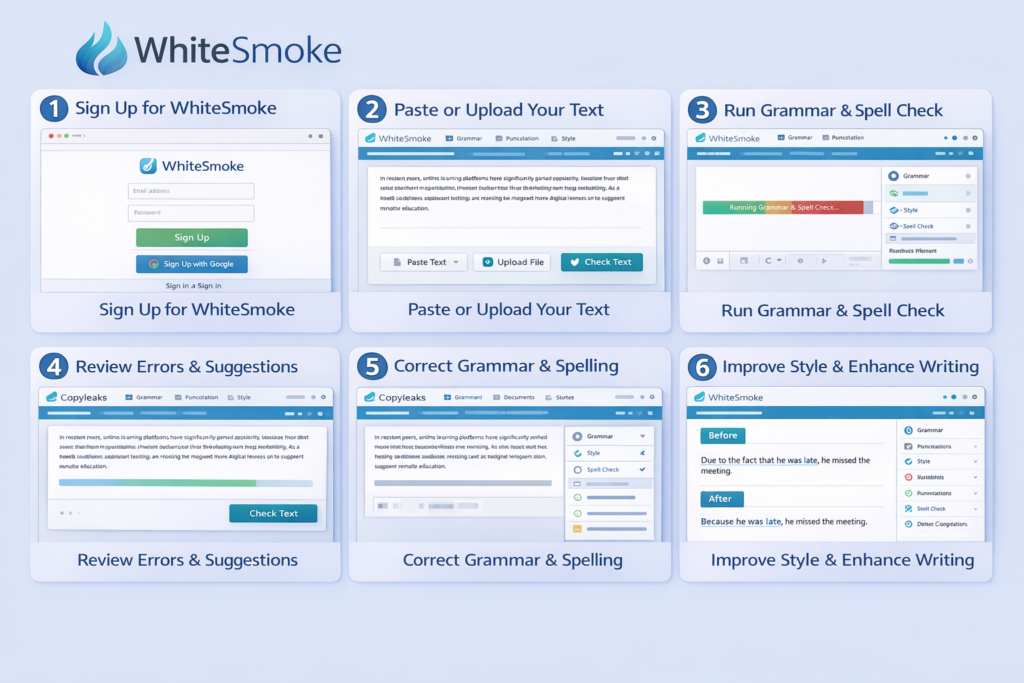
- Users input their text via the website or compatible integrations.
- The platform utilizes Natural Language Processing (NLP) to assess grammar, spelling, punctuation, and style.
- Mistakes are highlighted with proposed corrections.
- Users can fix errors by hand or simply click to correct them.
- Extra features include translation options and writing guides to enhance language skills.
5. Ginger
Ginger takes grammar and spelling correction to the next level. Its standout features include sentence rephrasing and a personal dictionary. With support for over 40 languages, it’s particularly beneficial for multilingual writers and ESL learners aiming for fluency.
Pricing Options
- Free Version: Offers basic grammar checks with limited tools.
- Premium Plan: Estimated at $13.99/month (on a monthly billing basis).
- Longer subscription commitments, such as quarterly or annually, can reduce costs to about $6–7/month.
Strengths
- AI-powered grammar correction
- Emphasizes sentence rephrasing and style improvement suggestions
- Offers synonyms and context-based corrections
- Available as a browser extension and desktop app
- Accessible for various writing tasks
Weaknesses
- Premium plan may seem expensive for frequent or high-volume writers
- Struggles with context in complex sentences
- Potential semantic inaccuracies
- Users have reported glitches or usability challenges
How It Works
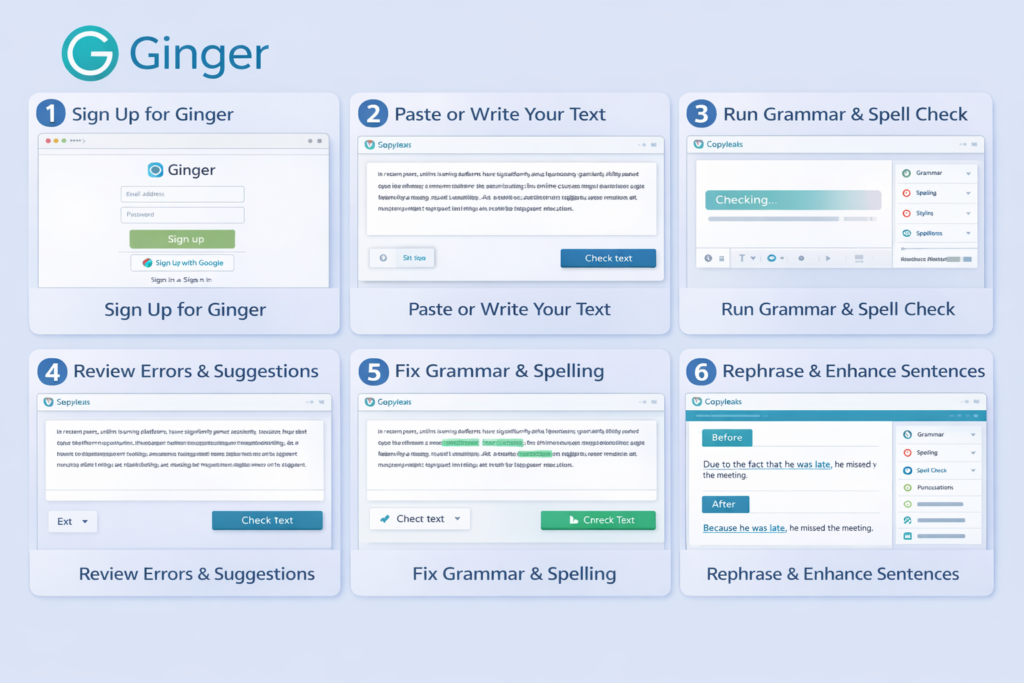
- Text can be typed or pasted into the Ginger editor or its browser extension.
- AI checks sentences in real-time for grammar and spelling issues.
- Models that understand context can spot mistakes at the sentence level.
- Recommendations include corrections, rewording, and synonyms.
- Users decide whether to accept or dismiss these suggestions.
- Optional tools for translation and learning help improve writing abilities.
6. Writer (Writer.com)
Writer (Writer.com) focuses on team and brand coherence. It helps maintain consistent tone and messaging across content. With robust brand style guides and customizable rules, it suits businesses striving to align their writing with specific standards and voice.
Pricing Options
⚠️ Note: Pricing for Writer.com can vary by source and region.
- Free Trial: 14-day trial period available (no credit card required).
- Team/Starter Plan: Typically around $18 per user/month (annual billing) or roughly $29–39 per user/month based on plan size and billing preferences.
- Enterprise Plan: Customized pricing with advanced features and administrative controls.
Some sources mention additional paid levels (like “Pro” at approximately $11/month for grammar and style tools), but the official site mainly highlights team and enterprise options.
Strengths
- Tailored for teams
- Offers custom style guides
- Includes terminology libraries for consistent writing
- Provides grammar suggestions
- Offers inclusivity suggestions
- Includes team analytics in paid tiers
Weaknesses
- Limited multilingual support reported
- Not designed for casual writers
- Targets enterprise users
- Lacks advanced tone detection
How It Works
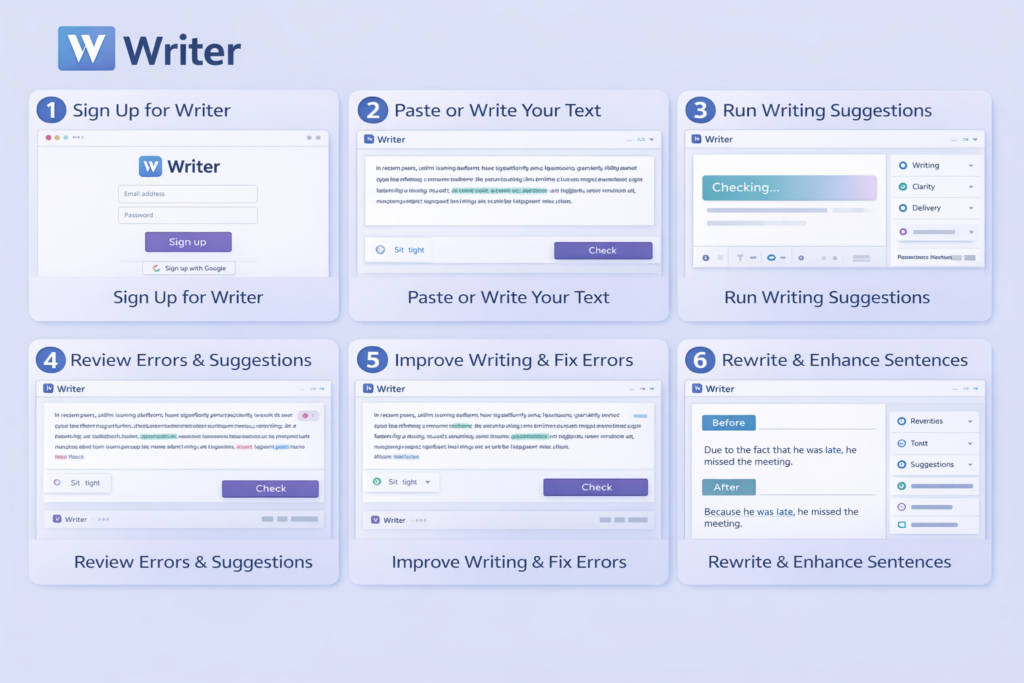
- Users compose text within the Writer editor or linked platforms.
- Real-time checks for grammar and spelling are provided.
- Custom style guides and branding rules are automatically applied.
- Tone, inclusivity, and terminology are monitored as users write.
- Teams can collaborate using shared templates and content libraries.
- Analytics track writing consistency and adherence to rules.
7. Sapling
Sapling serves customer support teams and enhances business communication. It offers real-time grammar and style suggestions, alongside autocomplete features and workflow integrations. This efficiency aids teams in crafting polished, on-brand messages quickly.
Pricing Options
- Free Version: Basic grammar and writing suggestions with limited snippets.
- Pro Plan: Approximately $25/month for individual users (or around $12/month with annual billing), featuring advanced tools, unlimited snippets, autocomplete, and premium suggestions.
- Enterprise Plans: Customized team plans starting around $15 per seat/month, offering administrative and team analytics features.
- API: Different usage-based pricing is available for developers.
Strengths
- Real-time grammar suggestions
- Powerful autocomplete features
- Particularly beneficial for teams
- Includes dashboard analytics
- Supports multiple languages
- Caters to diverse communication needs
Weaknesses
- Error explanations may fall short compared to comprehensive writing critique tools
- Basic plan lacks built-in tone detection
- Basic plan lacks plagiarism detection
How It Works
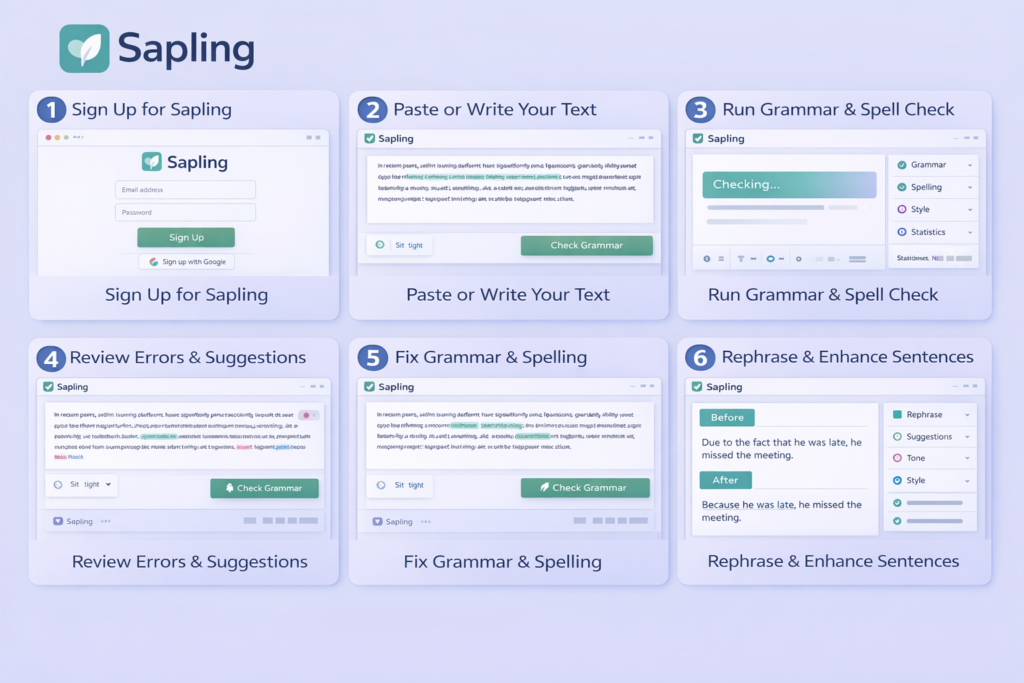
- Sapling operates in the background through browser extensions or integrations.
- AI reviews text as it is written in emails, chats, or documents.
- Real-time alerts flag grammar and punctuation errors.
- Autocomplete features anticipate phrases for quicker responses.
- Saved snippets allow users to easily insert frequently used text.
- Team dashboards keep track of usage and performance.
8. PaperRater
Paper Rater is designed for students and casual writers. This web-based tool checks grammar and spelling while providing a plagiarism scanner and a writing score. While it’s user-friendly and free, its plagiarism detection may be less advanced than some professional tools.
Pricing Options
- Free Plan: Available for grammar, style checks, and basic plagiarism detection online.
- Premium Plan: Many sources report this option costs roughly $14.95/month or about $95.40/year for advanced features.
(Note: The official site usually highlights free usage with optional upgrades.)
Strengths
- Free and easy-to-use online grammar and spelling checker
- Requires no signup
- Combines basic grammar detection
- Includes style checking
- Offers plagiarism detection
- Suitable for beginners and students
Weaknesses
- Less ideal for professional or academic submissions
- Accuracy for plagiarism detection is limited
- May miss paraphrased text
- May miss AI-generated text
- Scans can be slower
- Reports are less detailed than premium tools
How It Works
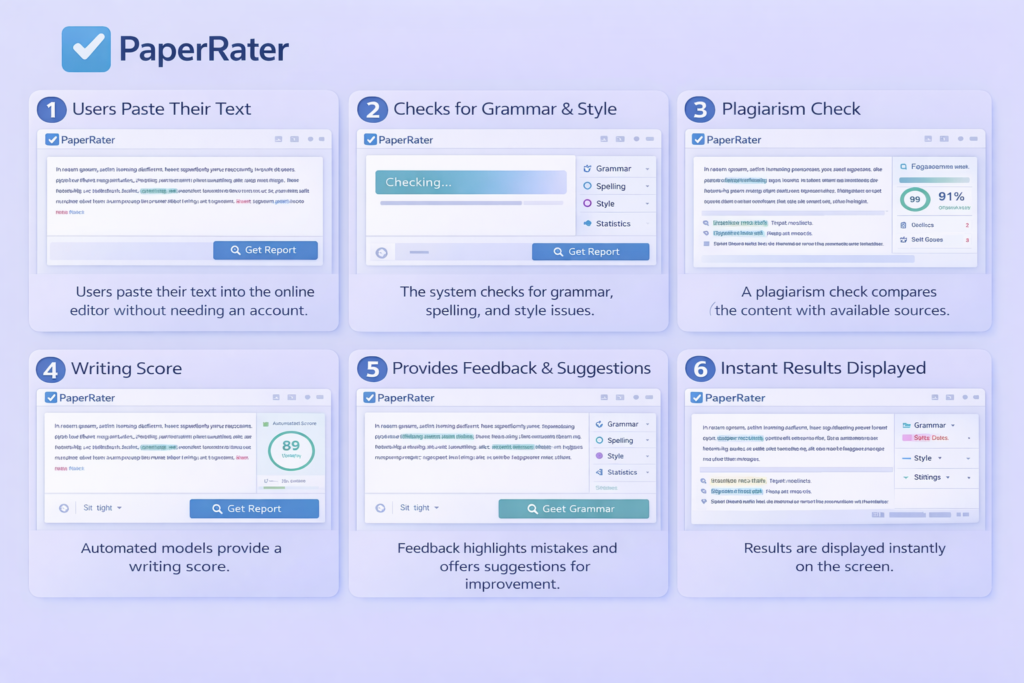
- Users paste their text into the online editor without needing an account.
- The system checks for grammar, spelling, and style issues.
- A plagiarism check compares the content with available sources.
- Automated models provide a writing score.
- Feedback highlights mistakes and offers suggestions for improvement.
- Results are displayed instantly on the screen.
9. Reverso
Reverso combines grammar and spell checking with translation features. Ideal for multilingual users, it corrects errors and offers contextual translations or synonyms. This dual functionality aids in enhancing overall phrasing and clarity.
Pricing Options
Reverso typically provides a free version that includes grammar and translation tools.
- Premium: Subscription options (generally billed annually) unlock further translation capabilities, larger text limits, and additional language resources.
Exact pricing might not be consistently displayed globally; it can vary by region and product bundle.
(Reverso generally follows a freemium model with optional premium upgrades.)
Strengths
- Integrates grammar checking
- Includes spell checking
- Offers contextual translations
- Beneficial for language learners
- Provides mobile apps
- Provides desktop apps
- Supports various languages
Weaknesses
- Lacks an official API for developers
- Not a full-fledged collaborative writing tool
- Translation features may not be as comprehensive as dedicated services
- Less advanced than DeepL or Google Translate
How It Works
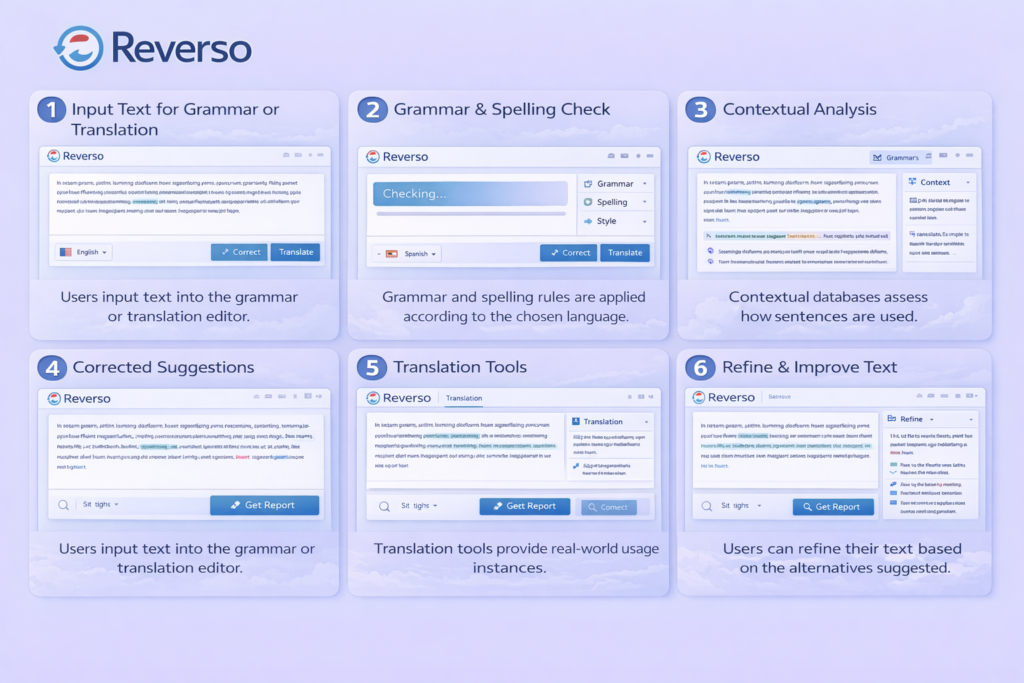
- Users input text into the grammar or translation editor.
- Grammar and spelling rules are applied according to the chosen language.
- Contextual databases assess how sentences are used.
- Suggestions include corrected grammar, synonyms, and examples.
- Translation tools provide real-world usage instances.
- Users can refine their text based on the alternatives suggested.
10. Slick Write
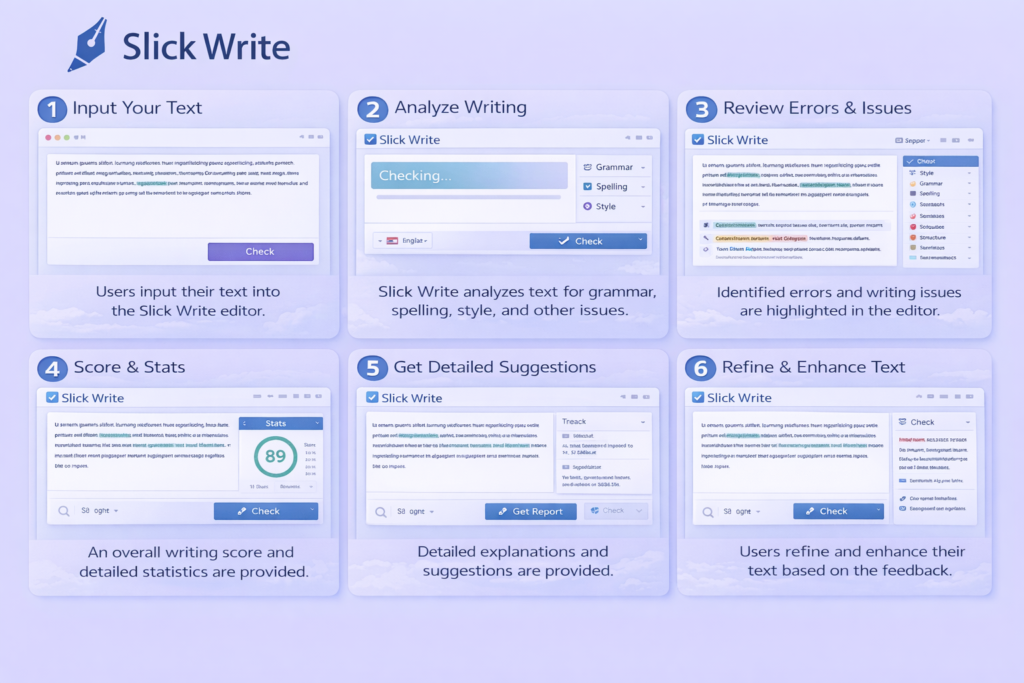
Slick Write is a straightforward, free online writing checker. It identifies grammar, spelling, and stylistic issues while providing a writing statistics report. Lightweight and user-friendly, it’s an excellent budget-friendly option for quick checks.
Pricing Options
Free Forever: Slick Write is entirely free to use, with no paid tiers or subscriptions.
Strengths
- Free tool
- No subscription requirements
- Provides grammar suggestions
- Provides spelling suggestions
- Provides style suggestions
- Includes readability metrics
- Simple browser-based interface
Weaknesses
- Less versatile for some users
- Lacks advanced AI features for grammar
- Lacks advanced AI features for tone
- Limited customization
- No desktop application
How It Works
- Users can either type or paste their content into the online editor.
- The tool analyzes the text when the user starts a check.
- It identifies grammar, spelling, and stylistic problems.
- Readability metrics and sentence statistics are generated.
- Suggestions are shown alongside performance metrics.
- Users revise their content manually based on the feedback received.
Conclusion
While Grammarly is a popular choice for many, there are several alternative tools available that can meet your writing needs just as effectively. From ProWritingAid to Hemingway Editor, each option offers unique features that might suit different preferences. These alternatives can help improve not just grammar but also style and readability, making your writing clearer and more engaging. Exploring these tools can empower you to find the right fit for your writing tasks.