
TravelBoast™: My Journey Routes Map
Travel has always been one of life’s richest experiences — an extraordinary teacher that exposes us to new cultures, people, landscapes, and perspectives. But in the age of digital wandering, one challenge persists: how to capture the essence of our journeys in a way that’s interactive, shareable, and meaningful. Enter TravelBoast™ My Journey Routes Map — a modern travel mapping tool designed for explorers, storytellers, and wanderers of all kinds.
In this article, I’ll share how TravelBoast™ revolutionizes travel documentation, offers real‑time route tracking, helps preserve memories, and empowers users to build a global visual journal they can share with friends, family, or the world. I’ll also relate personal experiences and tips for getting the most out of your journey routes map, plus practical advice for beginners.
What Is TravelBoast™?
At its core, TravelBoast™ My Journey Routes Map is a digital platform that helps travelers:
- Record and visualize routes taken across cities, countries, and continents
- Create custom journey maps with photos, notes, pins, and travel stats
- Share interactive maps with others through social media, email, or web embeds
- Explore maps created by other travelers
- Track progress in real time with GPS integration
- Export journey summaries as PDFs or slideshows
Unlike simple photo albums or journal apps, TravelBoast™ is built around geography and movement, turning every trip into a dynamic story that unfolds on a map. Routes aren’t just lines — they’re narratives that connect place, experience, and memory.
Why Travel Mapping Matters
Before we go deeper into TravelBoast™, let’s reflect on why mapping matters in travel.
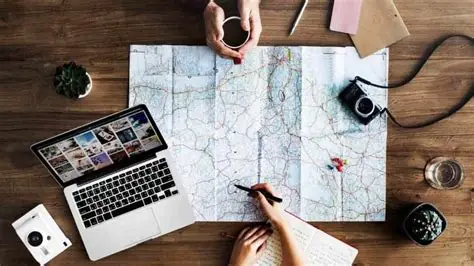
1. Maps Make Memories Tangible
When we return from a trip with a stack of photos and souvenirs, we struggle to remember exact sequences, routes, or the context of a snapshot. A visual map connects memories with places, making your experience richer and more vivid.
2. Maps Help You Learn Your Travel Patterns
With travel mapping, you can see:
- How many countries you’ve visited
- Total distance traveled
- How often you revisit favorite spots
- Regions you haven’t explored yet
It’s like a personal travel analytics dashboard.
3. Maps Tell Better Stories
A string of photos is great, but a route on a map tells a story:
- Where you started
- How you ventured through landscapes
- What you discovered along the way
Each pin becomes a chapter.
Getting Started with TravelBoast™
Starting with TravelBoast™ is simple, and you can begin building a journey map in minutes.
Step 1 — Create an Account
Sign up with:
- Apple ID
Verify your profile and set your travel preferences (favorite destinations, interests like food, culture, outdoors).
Step 2 — Create Your First Journey Map
Click “Create New Map” and give your journey a name:
- “Europe Summer 2025”
- “Backpacking Southeast Asia”
- “Road Trip Across USA”
You can set:
- Start date
- End date
- Route style (continuous, segmented, circular)
- Privacy (public, private, friends only)
Step 3 — Add Routes and Pins
There are three ways to build your route:
- Automatically via GPS tracking
Your phone or wearable logs movement, and TravelBoast™ converts it into a route. - Manually draw your route
On the map, click and drag to trace paths you took. - Upload movement data
Import GPX, KML, or fitness tracker files.
Add pins for special experiences:
- Restaurants
- Photos
- Hotel stays
- Hiking trails
- Cultural events
Every pin can include text, photos, and links.
Step 4 — Personalize and Share
Choose color themes, route icons, and map styles (satellite, terrain, minimalist). Once you’re happy, share your map on:
- Instagram stories
- Blogs and travel pages
- TravelBoast™ community feed
Export your journey as:
- Printable PDF
- Interactive web embed
- Slideshow presentation
My Personal Journey Routes Map Experience
To truly understand the impact of TravelBoast™, I’d like to share my own travel mapping experience.
The Trip
In 2023, I decided to undertake a multi‑city exploration across:
- Lisbon, Portugal
- Barcelona, Spain
- Nice, France
- Rome, Italy
- Athens, Greece
Instead of simply snapping photos, I used TravelBoast™ to track every movement.
How I Used It
- GPS tracking kept a live route of every city walk
- Pins marked meals, museums, beaches, and mountain paths
- Photos were uploaded to specific locations
- Stories were added to each city, detailing my favorite moments
What TravelBoast™ Showed Me
- I walked over 153 km in Lisbon alone
- My route showed me returning repeatedly to a small café in Barcelona
- I realized I missed a national park near Nice — now on the list for next time
But the most meaningful outcome wasn’t numbers — it was reliving memories by retracing my routes. A single map took me back to feelings I almost forgot.
Key Features of TravelBoast™
Let’s take a deeper look at what makes this platform stand out.
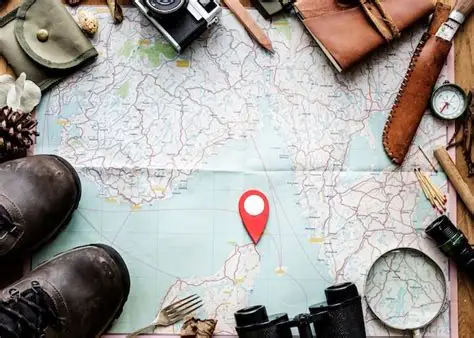
1. Interactive Map Interface
The map is intuitive.
Zoom, pan, add layers, customize:
- Terrain
- Satellite
- Street
- 3D view
Routes adjust fluidly, and mobile integration makes updating on the go easy.
2. Real‑Time GPS Sync
When traveling abroad, you can enable GPS syncing so:
- Your route is tracked live
- You don’t miss any detours
- Your diary fills automatically
Battery usage is optimized — no need for constant screen‑on time.
3. Photographic Memories
Your photos aren’t just stored — they’re anchored on the map. Click a pin and view:
- Photos
- Captions
- Stories
- Ratings (your personal review)
4. Social Sharing & Community
Share full maps or specific legs of your journey. Follow other travelers and get inspired by their routes.
Maps also have:
- Comments
- Likes
- Collaborations (friends can add pins)
5. Travel Stats
For the data‑curious traveler:
- Distance traveled
- Time spent in each city
- Elevation patterns
- Rest vs. activity time
These stats become a fascinating travel report.
Benefits for Different Traveler Types
Solo Travelers
Perfect for introspection and long journeys. Solo explorers can:
- Track movement without manual logging
- Build chronological travel narratives
- Share safely with select friends
Couples and Families
Collaborative map creation lets everyone add:
- Favorite spots
- Shared photos
- Comments on memories
It becomes a joint family travel album.
Adventure and Outdoor Lovers
For hikers, bikers, and trekkers:
- Elevation maps
- Terrain layers
- Offline mode
TravelBoast™ becomes a companion in remote areas.
Travel Writers and Bloggers
Professional explorers can:
- Embed maps in blog posts
- Export routes as downloadable visuals
- Integrate photos and notes easily
Tips for Mapping Your Best Trips
Here are some practical tips to get the most from TravelBoast™:
1. Turn on GPS Tracking Early
Activate it before you leave your accommodation so you don’t miss the first steps of your journey.
2. Add Pins With Stories
Write brief but vivid notes:
- “Sunset view from the castle terrace — unforgettable!”
- “Best gelato in Rome — Piazza Navona”.
These turn maps into travel chronicles.
3. Use Offline Mode
If you’re going to remote areas, download offline maps to avoid losing tracking.
4. Tag Companions
Invite friends or family to co‑edit the map so everyone contributes memories.
5. Keep Pins Personalized
Not every pin needs photos — sometimes a short note or emoji captures the vibe best.
TravelBoast™ vs. Other Travel Tools
Here’s how TravelBoast™ compares with alternatives:
| Feature | TravelBoast™ | Photo Album | Standard Map App |
|---|---|---|---|
| Route Visualization | ✔️ | ❌ | ❌ |
| Photo Anchoring | ✔️ | 📍 (manual) | ✖️ |
| Real‑Time Tracking | ✔️ | ❌ | 📍 (limited) |
| Sharing Options | ✔️ | 📌 (basic) | ❌ |
| Community Feed | ✔️ | ❌ | ❌ |
| Travel Stats | ✔️ | ❌ | ⚠️ |
In short — TravelBoast™ combines storytelling, visualization, and social mapping in one place.
Common Challenges and How to Overcome Them
1. Battery Drain on Long Routes
- Solution: Enable low power mode and turn off unnecessary apps.
2. Connectivity Issues Abroad
- Solution: Use offline maps and sync data when connected.
3. Too Many Pins
- Solution: Group similar pins into categories (food, views, stays).
4. Forgetting to Track
- Solution: Set reminders at the start of each day to enable GPS tracking.
Future of Travel Mapping
As AI and cloud tech evolve, tools like TravelBoast™ will become more immersive. Imagine:
- Automatic photo tagging
- AI‑generated travel summaries
- AR map walk‑throughs
- Group map syncing in real time
TravelBoast™ is well positioned to lead that future.
Conclusion
TravelBoast™ My Journey Routes Map changes the way we document and relive travel. It transforms routes from simple GPS lines into living, visual stories filled with memories. Whether you’re a seasoned globetrotter or a weekend explorer, TravelBoast™ offers a personalized, beautiful, and interactive way to preserve your adventures.
At its heart, travel is a story — and with TravelBoast™, you don’t just remember the places you’ve been… you see them again, feel them again, and share them with others in a way no photo album or journal ever could.
FAQs About TravelBoast™ My Journey Routes Map
Q1: Is TravelBoast™ free to use?
A1: Yes, there is a free version with core features. Premium plans unlock advanced stats, offline maps, and extended photo uploads.
Q2: Can I use TravelBoast™ offline?
A2: Yes — the app lets you download offline maps and sync the data when you reconnect.
Q3: Is my travel map private or public?
A3: You choose — private (only you), friends only, or public on the TravelBoast™ community.
Q4: Can I export my journey map?
A4: Yes — you can export maps as PDFs, slideshows, or embed them on websites.
Q5: Does TravelBoast™ work internationally?
A5: Yes — it works in any country, and supports multiple languages and time zones.