FBI Reveals Gmail AI Phishing Attacks
Gmail AI Phishing Attacks have increased a lot recently. The FBI has warned about new threats, making it essential to protect your personal information. This article will explain the latest phishing methods and how they can endanger your data. By the end, you’ll learn simple steps to secure your Gmail account and stay ahead of cybercriminals.
What the FBI Is Warning About
Here are the main points from recent FBI advisories and related cybersecurity reports:
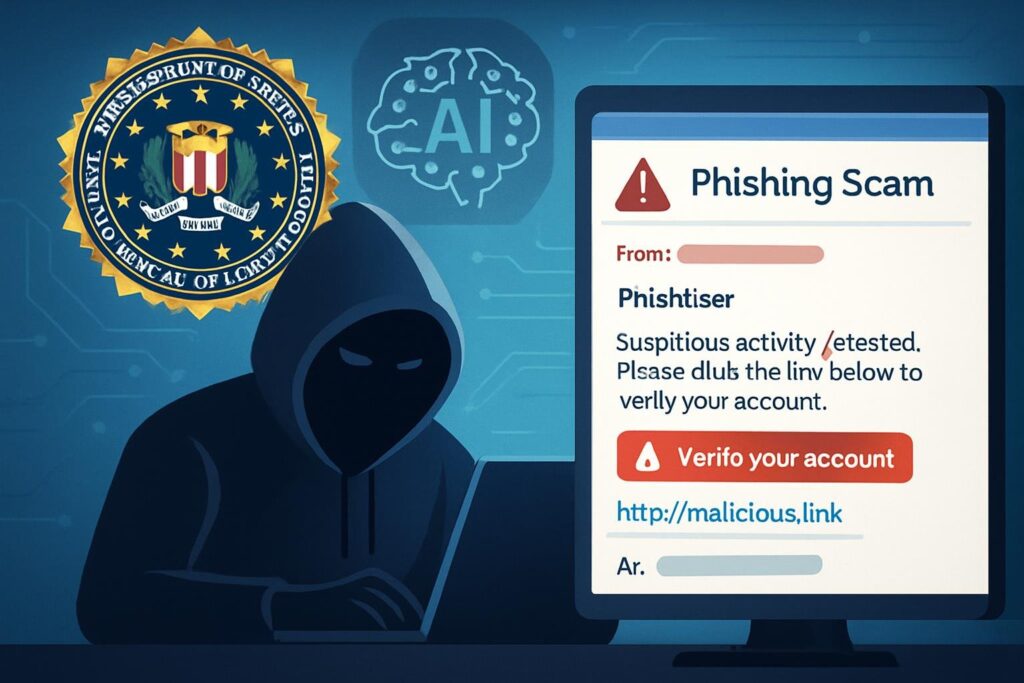
AI-powered phishing
This cyberattack uses artificial intelligence to create realistic fake messages.
These messages can look like they come from trusted sources, making them hard to recognize. For example, an email might seem to be from your bank or a popular company.
Criminals use AI to study personal information, helping them craft their scams better. This makes the messages more convincing and aimed at specific people.
Emails evading detection
These emails often appear real, making it difficult for people and organizations to recognize them. Cybercriminals use advanced methods to get past filters that normally catch spam or phishing emails.
One common tactic is hiding harmful content in messages that seem safe. This can deceive recipients into clicking on dangerous links or downloading harmful files.
Scope of targeting
The FBI has issued a warning about rising cyber threats affecting many areas in the country. These threats target individuals, businesses, and essential services.
Cybercriminals are using advanced methods to take advantage of weaknesses, often through phishing scams and ransomware attacks. These dangers impact all industries, but healthcare, finance, and energy are especially vulnerable.
Medusa ransomware threat
The FBI has warned about the growing threat of Medusa ransomware. This software locks victims’ files, making them unusable until a ransom is paid.
The FBI has seen an increase in Medusa ransomware attacks on healthcare, education, and finance sectors. Cybercriminals use advanced methods to break into networks, often taking advantage of outdated software or weak passwords.
Signs of AI-Generated Emails
Identifying AI-generated emails can be easy if you know what to look for. First, pay attention to the tone. AI emails often have a formal tone that can feel a bit robotic or overly polite.
Next, consider the content. These emails may lack personal touches or specific details relevant to you. Instead of personalized greetings, you might see generic phrases like “Dear Customer.”
Another sign is repetition in phrases or sentences. AI can sometimes use the same wording in different parts of the email, making it sound less natural.
Be cautious of unusual grammar or punctuation. While AI is improving, it can still make mistakes that a human would typically avoid.
Lastly, check for urgency. AI-generated emails might create a sense of urgency, pushing you to act quickly without clear reasoning. Always take time to think before responding.
Why This Is More Dangerous Now?
The FBI has recently issued a stark warning regarding a surge in Gmail phishing threats, highlighting the escalating risks that users face today. These sophisticated phishing attacks are becoming increasingly prevalent, targeting individuals and organizations. The danger has increased for several reasons:
Personalization:
Cybercriminals can gather personal information from sources like social media and data breaches, allowing them to customize emails that appeal to you. This increases the chances that you will click on a link or open an attachment.
Polished content:
Previously, poor grammar, unusual phrasing, and clear formatting mistakes often revealed scams. However, AI tools significantly minimize these issues.
Legit-looking sender addresses:
Occasionally, minor alterations such as altering a single letter or employing similar-looking domain names can be effective, particularly when individuals are preoccupied or fail to examine the email’s metadata closely.
Urgency & pressure:
Numerous cyber attacks leverage urgency by imposing tight deadlines, such as “reply within 24 hours” or “your account will be deactivated,” prompting individuals to make hasty decisions. Perpetrators rely on this impulsive behavior.
Access to ecosystem:
Given that Gmail is linked to numerous services like Drive, Photos, Documents, and Contacts, an intruder who gains access can cause even greater harm by exploiting these connections.
Who Is Most at Risk from Phishing Attacks?
Phishing attacks are a serious threat that can affect anyone who uses the internet. However, certain groups are more at risk than others.
Businesses often face these attacks because they handle sensitive information. Attackers may target employees, hoping to trick them into revealing passwords or financial details.
Seniors are also vulnerable. They may not be as familiar with online scams and might fall for phishing emails that look convincing.
Students can be at risk too. With so much online activity for learning, they might accidentally click on malicious links while checking emails or doing research.
Even government employees can be targets, as hackers seek access to confidential information.
It’s important for everyone to stay aware of phishing signs, like unexpected emails or messages asking for personal information. By staying informed and cautious, we can better protect ourselves from these attacks.
What Can You Do to Protect Yourself?
| Measure | Description / Why It Helps |
|---|---|
| Enable Multi-Factor Authentication (MFA) | This extra protection needs your password and a second way to verify, like a text message or a code from an authentication app. |
| Strong, unique passwords | To protect yourself, create strong and unique passwords for your accounts. A strong password uses a mix of upper- and lower-case letters, numbers, and special characters. This makes it hard for attackers to guess. |
| Verify suspicious emails | First, check the sender’s email address carefully. Phishers often use addresses that look like real ones but have small differences. If anything seems strange, don’t click on any links. Next, watch for grammar mistakes or odd wording in the email. Real companies usually have a professional tone. If the email urges you to act quickly or offers surprising rewards, it’s probably a scam. |
| Be cautious with links and attachments | To protect yourself, be careful with links and attachments. Always hover over links before clicking to check the real URL. If it seems suspicious or unfamiliar, avoid clicking it. Attachments can also carry malware. |
| Use built-in email protection tools | Be careful with suspicious emails. Gmail’s spam filter works well, but always check the sender’s email address closely. Look for small misspellings or strange domains that might signal a phishing attempt. Use Gmail’s reporting tools to mark any suspicious messages. This helps protect you and improves the system for other users. |
| Regular security training / awareness | Organizations need employees who can recognize phishing. Individuals should stay aware of common tactics. |
| Backup important data | This keeps your important information safe and recoverable, even if you get caught in a phishing attack. |
| Monitor your accounts | Check your accounts often. Watch for any strange logins or odd emails. If you see something unusual, change your password right away. |
| Be skeptical of urgency and threats | Phishers use tricks to make you feel scared, pushing you to click links or give personal information quickly. Take a moment to think before you act. Always look closely at the sender’s email address. Fake emails usually come from addresses that look similar to real ones but have small differences. |
| Keep systems updated | Patching software, operating systems, applications prevents attackers from exploiting known vulnerabilities. |
Tools to Protect Against Phishing
Phishing is a common online scam where attackers try to trick you into giving away personal information, like passwords or credit card numbers. Luckily, there are tools that can help you stay safe.
One effective tool is an email filter. This software scans incoming emails and identifies suspicious messages. It can automatically send these harmful emails to a separate folder, so you won’t accidentally click on any dangerous links.
Another useful tool is multi-factor authentication (MFA). This adds an extra layer of security by requiring you to provide a second form of identification, like a text message code, in addition to your password. Even if someone steals your password, they would still need that second step to access your account.
Browser extensions can also help. Many extensions alert you if you’re visiting a suspicious website, giving you a warning before you enter any information.
Lastly, regular updates to your devices and software are crucial. Many updates include security patches that protect against new phishing methods.
By using these tools, you can reduce the risk of falling victim to phishing scams and keep your personal information safe.
What happens if you get hacked?
What happens if you get hacked? It can be a scary experience, but knowing the steps to take can help.
First, you might notice unusual activity on your accounts. This could include strange emails, unrecognized purchases, or even locked accounts. If this happens, it’s important to stay calm and act quickly.
Start by changing your passwords. Use strong, unique passwords for each account. This helps prevent future hacks.
Next, check your bank and credit card statements for any unauthorized charges. If you see anything suspicious, report it to your bank immediately. Also, consider enabling two-factor authentication on your accounts. This adds an extra layer of security.
Finally, keep an eye on your accounts in the coming weeks. If you notice anything else unusual, don’t hesitate to reach out for help. Staying informed and proactive is key to protecting yourself.

How Big Is the Risk Globally (and What We Know So Far)
- Phishing attempts that bypass filters have increased by about 49% since 2022.
- AI-generated phishing threats now make up nearly 5% of all phishing attempts, according to recent reports.
- Organizations face phishing attempts almost every day; for many, it’s a constant issue.
- The Medusa ransomware advisory reports over 300 known victims in important sectors due to phishing or software weaknesses, with the threat likely to grow.
- With billions of Gmail users worldwide, even a small percentage affected could mean millions of accounts are at risk.
Related articles:
https://aicognitivezone.com/detrimental-effects-of-ai/Conclusion
The FBI’s findings on AI-driven Gmail phishing scams show how online threats are changing. As cybercriminals get smarter, users must stay informed and alert. By spotting phishing signs and taking steps like checking email sources and using two-factor authentication, we can protect ourselves better. Being aware is the first step to keeping our personal information safe. Let’s stay vigilant and learn how to handle these challenges effectively.
FAQs
What signs should I look for to identify a phishing email?
Look for unusual sender addresses, poor grammar, generic greetings, and urgent requests for personal information. If something seems off, it probably is!
What should I do if I receive a suspicious email?
Do not click on any links or download attachments. Instead, report the email to Gmail and delete it from your inbox.
Can AI phishing attacks be prevented?
While it’s hard to stop all attacks, using strong passwords, enabling two-factor authentication, and being cautious with emails can help protect your accounts.
Is it safe to open emails from unknown senders?
It’s best to avoid opening emails from unknown senders altogether. If you must, do not click any links or download attachments until you verify the sender’s identity.