How To Cancel CapCut Subscription?
Did you know that CapCut offers some incredible premium features like advanced AI tools and cloud storage, but not everyone finds them worth the cost? If you’re feeling weighed down by your subscription, you’re not alone. In this article, we’ll walk you through the easy steps to cancel your CapCut subscription, whether you’re using an Android, iPhone, or Desktop. By the end, you’ll have the tools you need to take back control of your budget without sacrificing your editing needs.
How to Cancel CapCut Subscription on Android
To cancel your CapCut subscription on Android, follow these steps:
- Open the Google Play Store and log into your Google account.
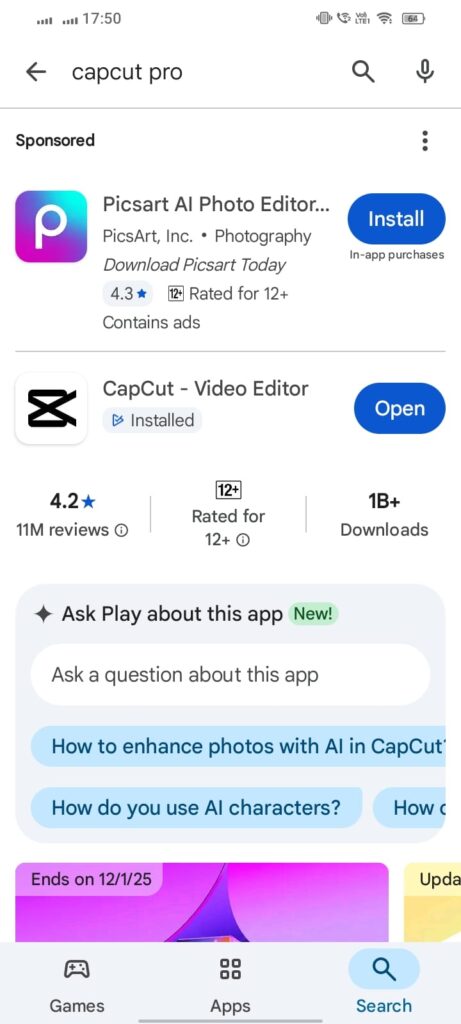
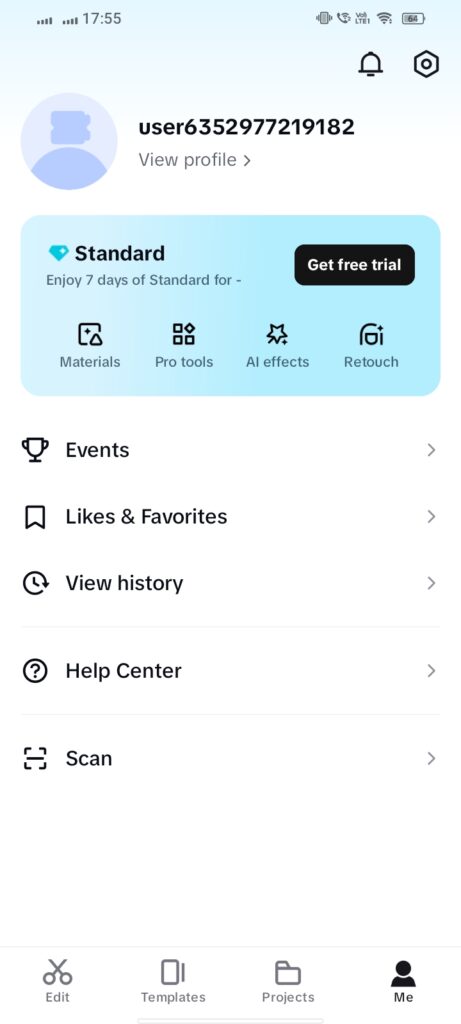
- Tap the menu icon, then select “Subscriptions.”
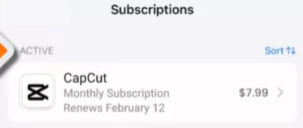
- Choose the “Cancel Subscription” option and follow the prompts.
- Confirm your cancellation and note the cancellation policy.
Your subscription stays active until the billing cycle ends, and you can resubscribe later if desired.
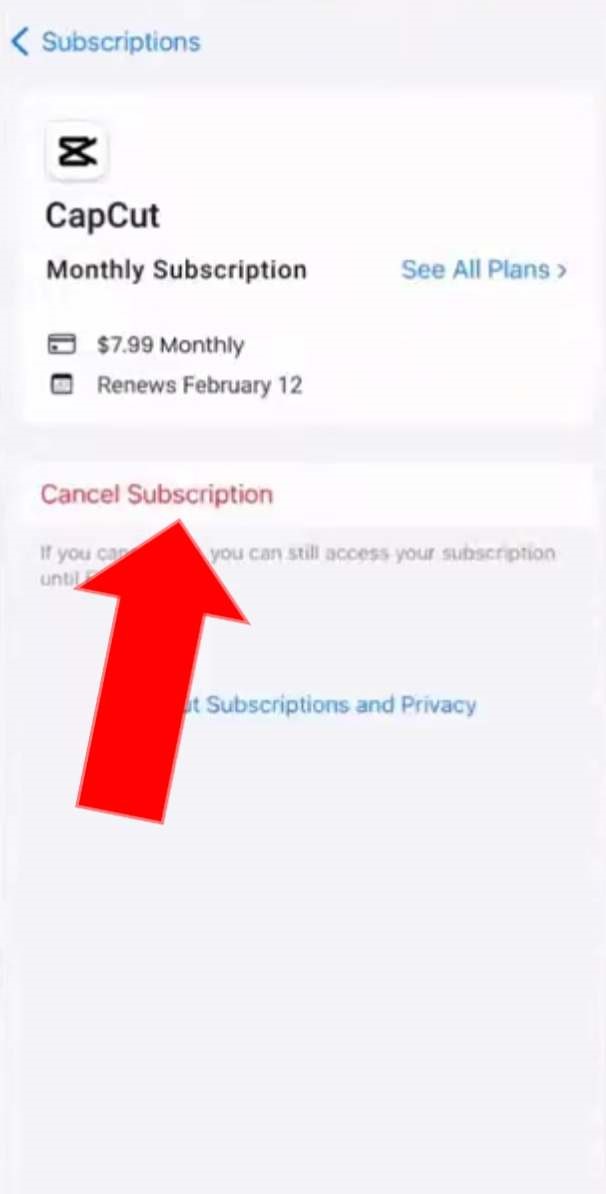
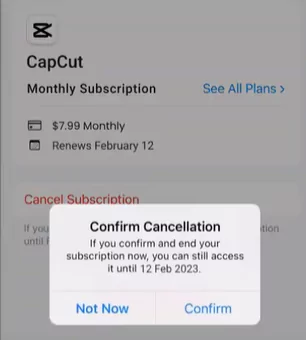
Steps to Cancel CapCut Subscription on iOS Devices
To cancel your CapCut subscription on iOS, follow these steps:
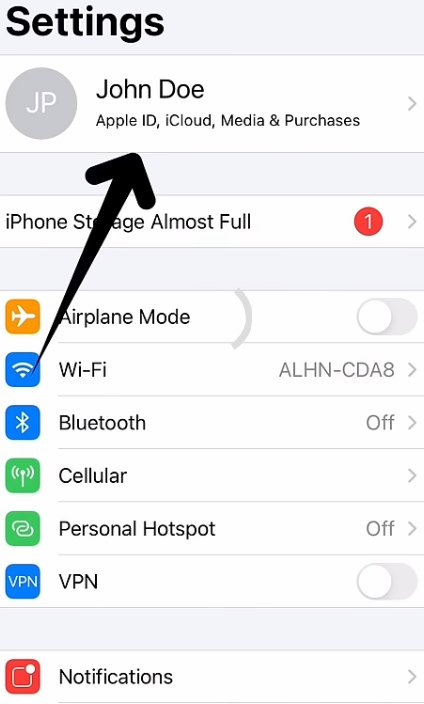
- Open the Settings app.
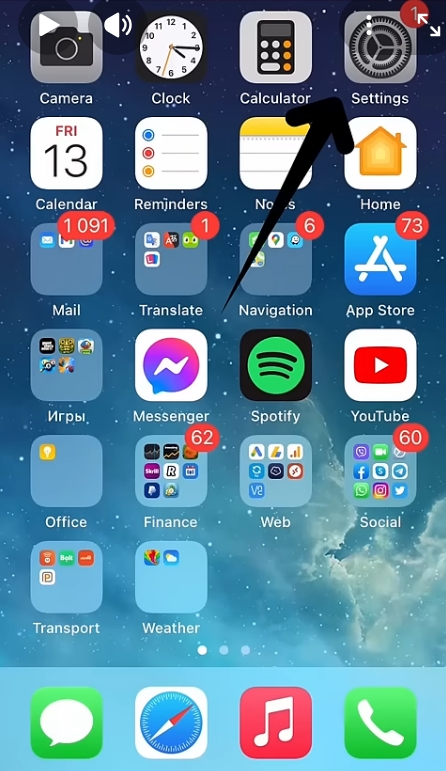
- Tap your name to access Apple ID settings.
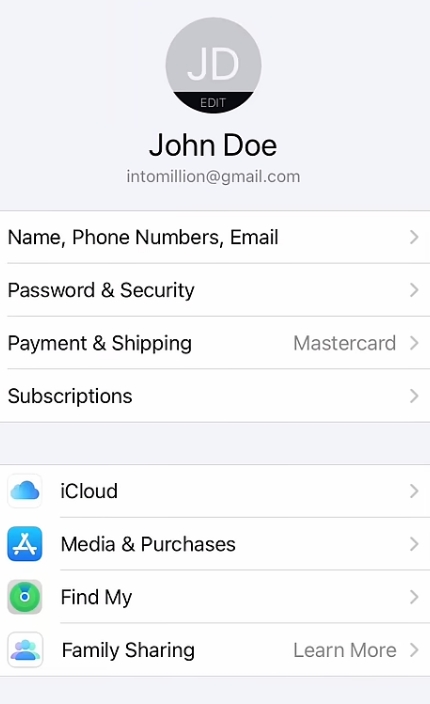
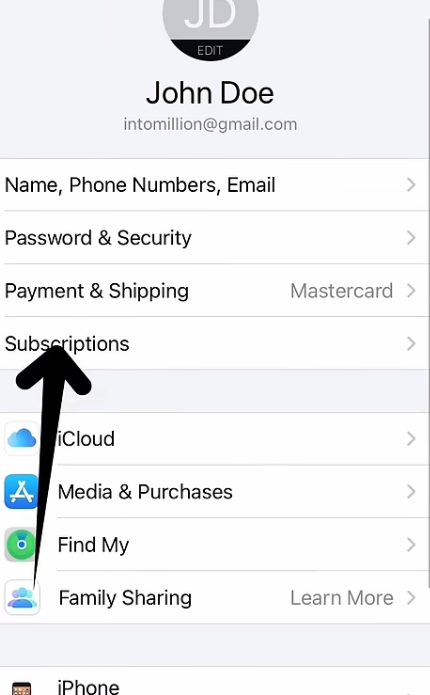
- Select Subscriptions to view all subscriptions.
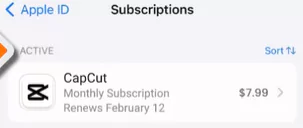
- Find and tap CapCut.
- Choose Cancel Subscription and confirm your choice.
You can continue using CapCut until the billing cycle ends. For assistance, contact Apple Support.
Canceling CapCut Subscription on PC or Web
To cancel your CapCut subscription on PC, follow these steps:
- Open your web browser and visit the CapCut website.
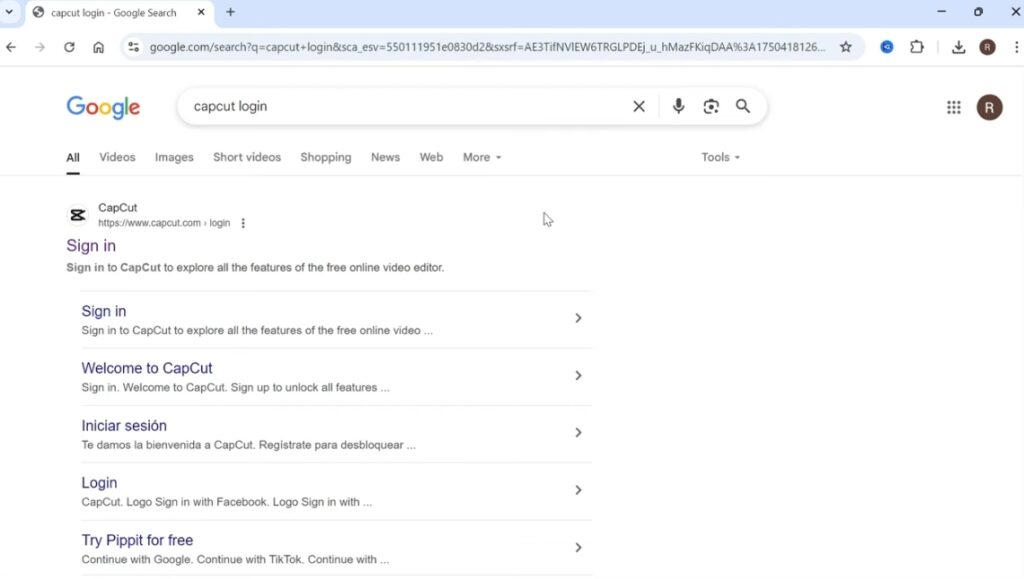
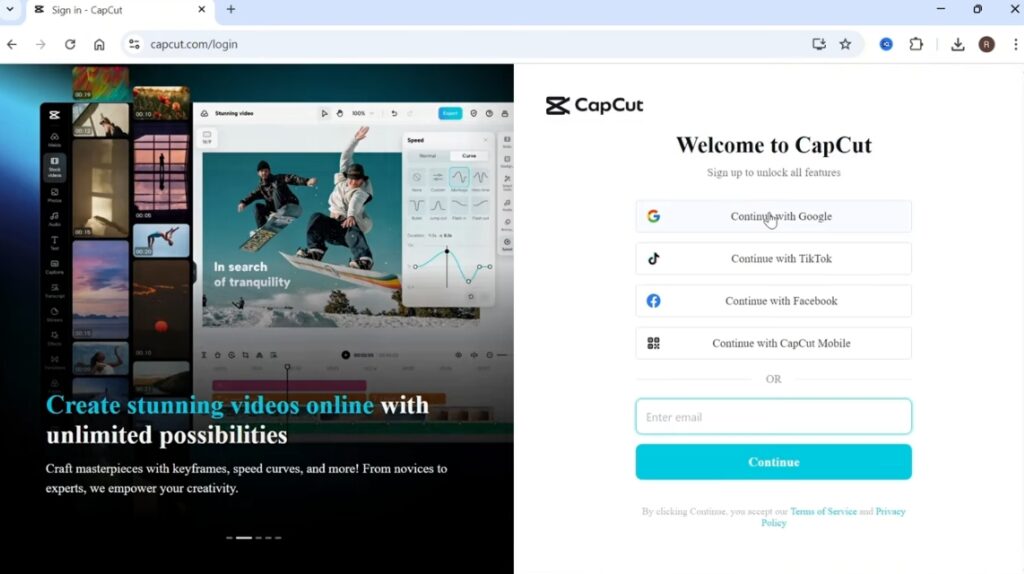
- Log in to your account.
- Click on your profile icon in the upper right corner.
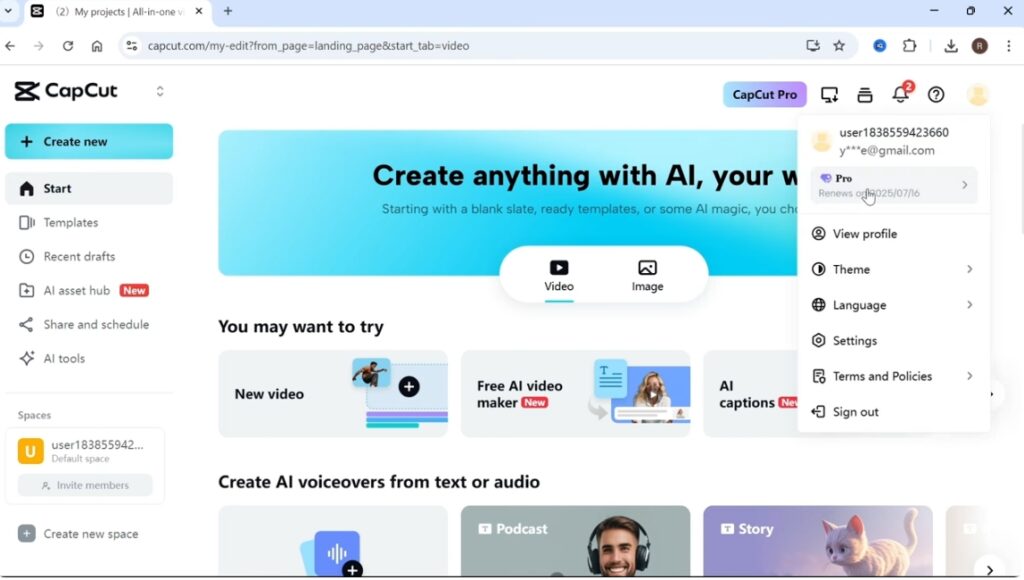
- Access the “Subscriptions” or “Billing” section.
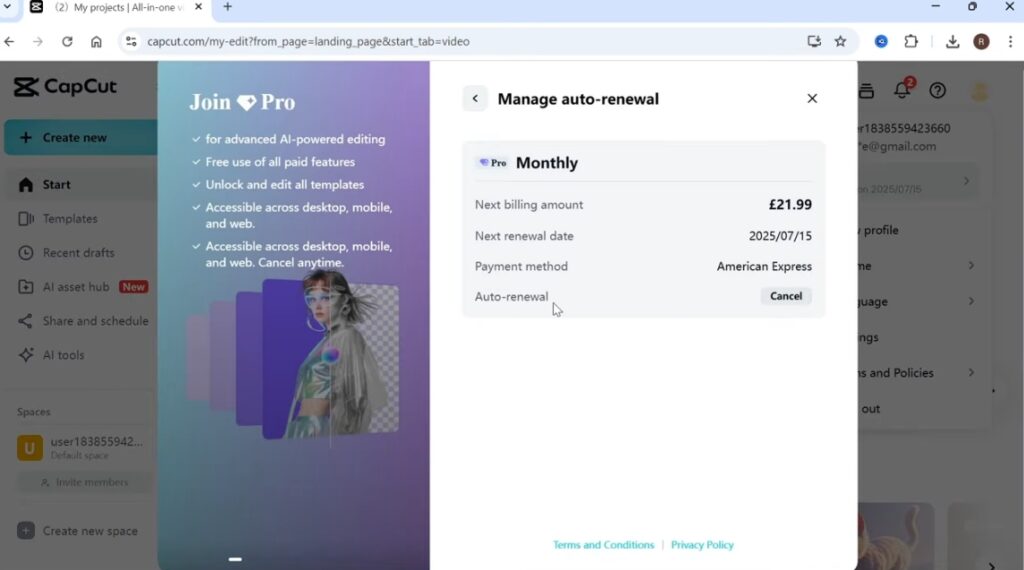
- Select the option to cancel your subscription and confirm.
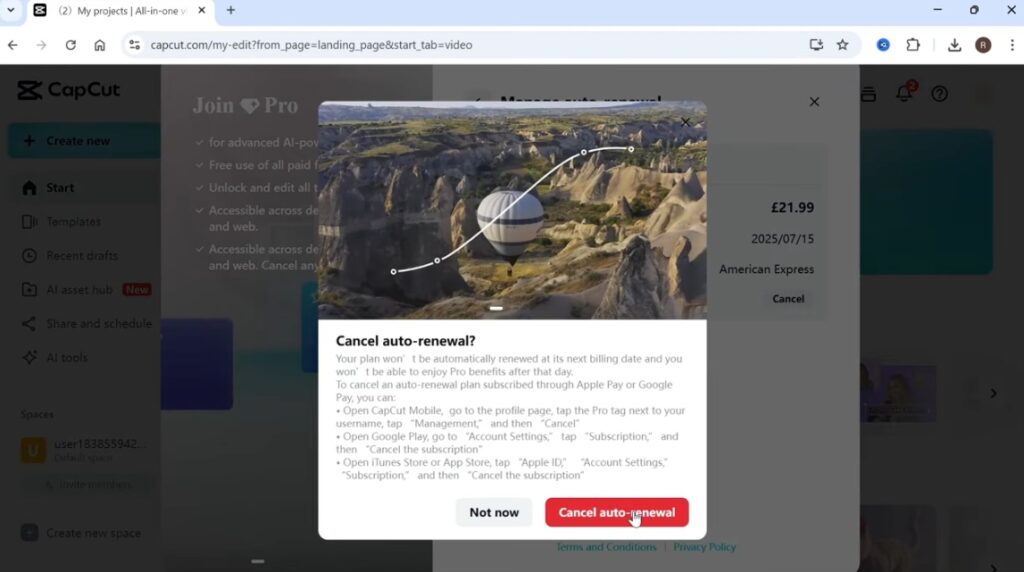
- Review cancellation policies for any guidelines.
- Expect a confirmation email upon successful cancellation.
- Contact customer support if you encounter issues.
This process helps prevent future charges effectively.
What Happens After You Cancel Your CapCut Subscription?
When you cancel your CapCut subscription, access lasts until the billing cycle ends. After that, premium features are removed, but basic functionality remains. Your saved projects won’t be lost, though some premium effects may become unusable. If you resubscribe later, you can use the same account; prior projects and settings will still be there. Look for confirmation emails regarding your cancellation.
CONCLUSION
Cancelling your CapCut subscription doesn’t have to be a complicated process. By following the simple steps outlined in this article, you can easily manage your subscription and avoid any unwanted charges. Remember to check your confirmation email to ensure the cancellation went through successfully. If you change your mind later, you can always resubscribe with just a few clicks. Take control of your subscription today and enjoy more peace of mind knowing you can adjust it as needed!
FAQs
How do I cancel my CapCut subscription?
To cancel your CapCut subscription, check where you bought it — like the Apple App Store, Google Play Store, or CapCut’s website. Go to the subscription settings on that platform or your CapCut account.
Where do I manage my subscription settings?
– iOS (Apple App Store): Go to “Settings” > [Your Name] > “Subscriptions.”
– Android (Google Play Store): Open the Google Play Store app, tap your profile icon, then select “Payments & subscriptions” > “Subscriptions.”
– CapCut Website/Desktop: Log in to your CapCut account on the website and find “Account Settings,” “Subscription,” or “Billing.”
What happens to my premium features after I cancel?
When you cancel, you can still use premium features until the end of your billing cycle. After that, your account will switch to the free version, and you will lose access to those features.
Will I get a refund if I cancel early?
Generally, CapCut subscriptions are non-refundable for the current billing period. You won’t get a refund for unused time, but canceling stops future charges. Check CapCut’s Terms of Service or the refund policies of the platform where you purchased it for more details.
Will my saved projects or drafts be deleted after cancellation?
No, canceling your subscription won’t delete your saved projects or drafts. They stay linked to your CapCut account, but projects using premium features may lose those features or become uneditable once you switch to the free version.