How to turn off meta ai on Facebook, Instagram, WhatsApp and Messenger?
Many users are surprised to learn just how much AI is integrated into Facebook, Instagram, WhatsApp, and Messenger. This article will show you how to turn off these AI features, helping you reclaim your interactions and ensure your conversations feel more personal. Get ready to dive into straightforward steps that will make a big difference in your online experience!
Why You Cannot Fully Turn Off Meta AI?
You can’t completely disable Meta AI on platforms like Facebook, Instagram, WhatsApp, or Messenger. There’s no simple on/off switch in your settings to turn it off entirely.
For instance, the AI features in search bars on Facebook and Instagram cannot be removed. This means whenever you search, the AI is still active behind the scenes.
Even in Messenger and WhatsApp, Meta AI chat options remain available, allowing conversations powered by AI. However, you can choose to mute these chats if you don’t want to receive notifications.
Additionally, you can archive or delete any AI conversations to keep your chat list tidy. On Facebook, you can turn off AI comment summaries, making your feed less cluttered.
To limit AI interactions, you can hide previews and silence prompts wherever possible. Lastly, while you can opt out of AI data training through the Meta Privacy Center, this won’t remove AI features altogether.
How to disable Meta AI on Facebook?
Step 1: Launch the Facebook application or visit the website. On the interface, you’ll notice the search icon is emphasized, with an arrow indicating it.
Note: The search bar at the top now has a red circular shape instead of the traditional magnifying glass.

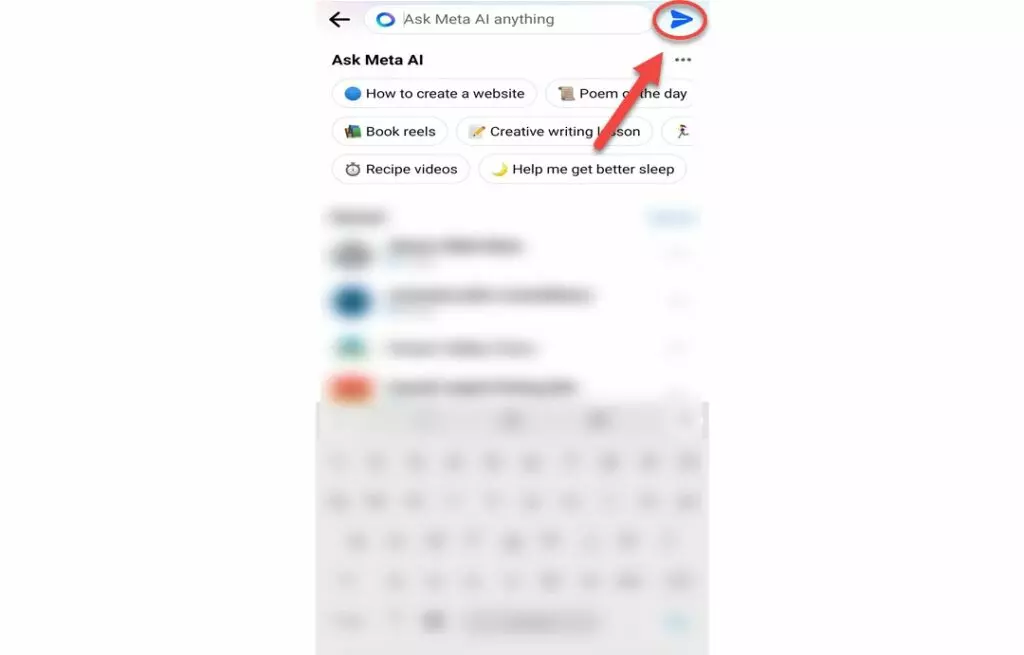
Step 2: In the search field, click on the blue arrow located on the right side.
The search interface will prompt “Ask Anything to Meta IA” with a send icon highlighted.
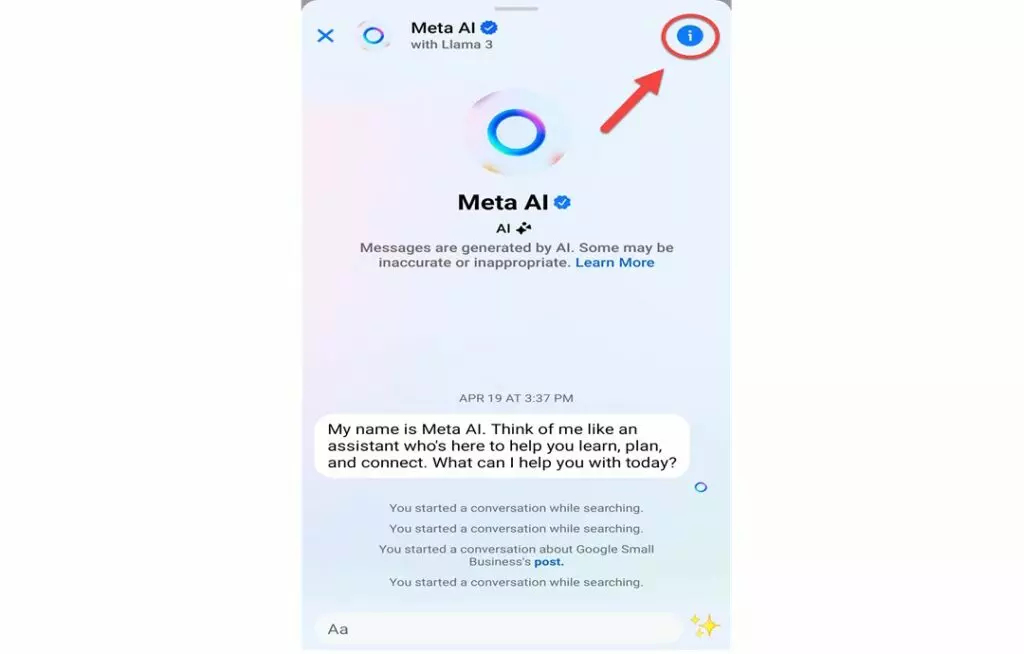
Step 3: This action will lead you to the chat. Find and click the “i” icon located in the upper right corner.
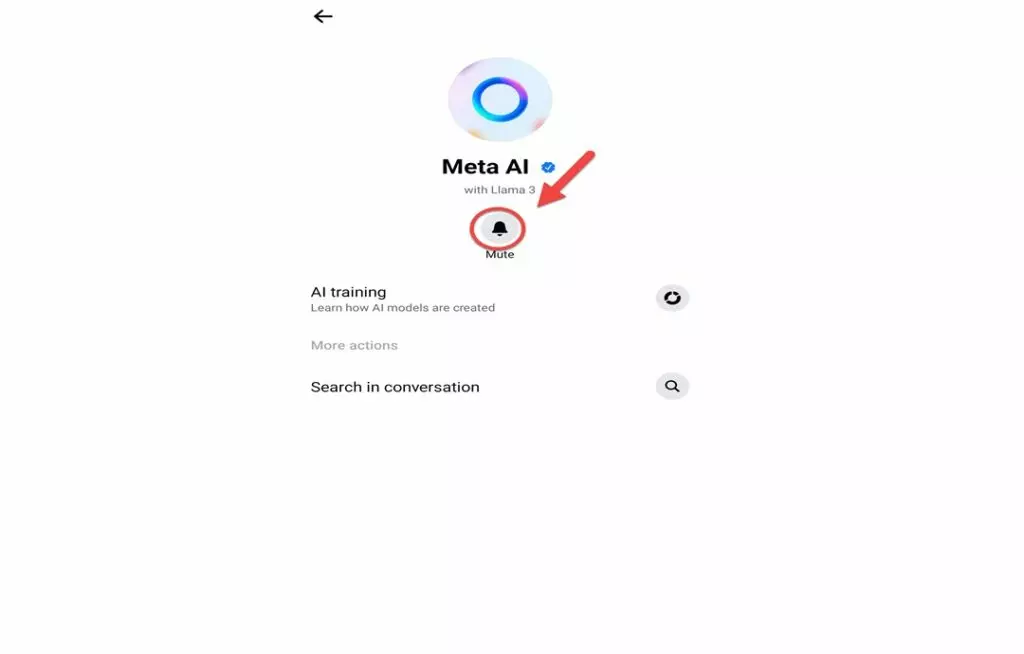
Step 4: On the following screen, select the “mute” option.
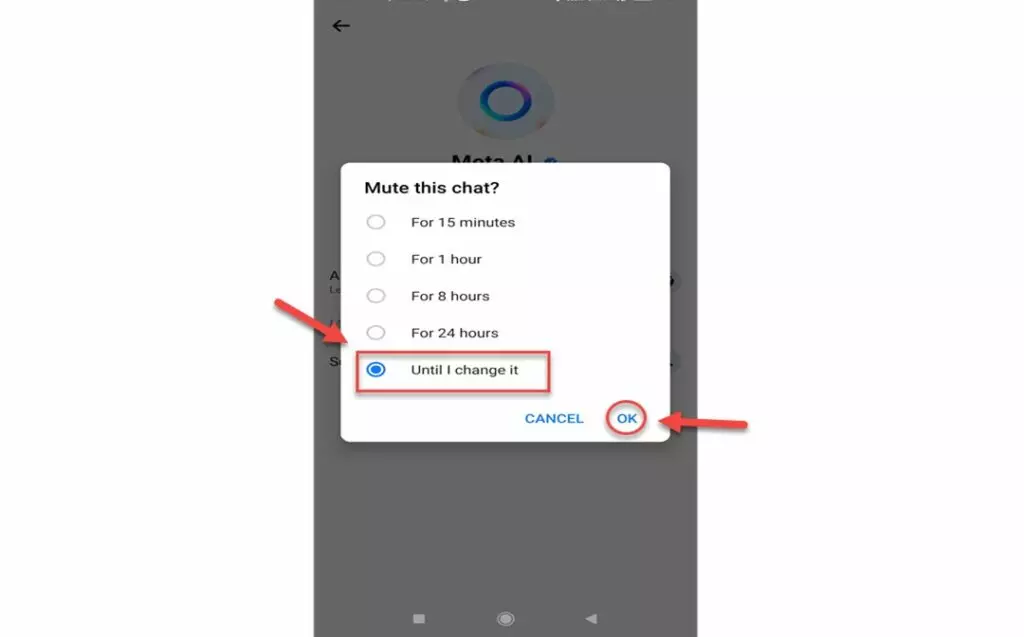
Step 5: Decide how long you wish to mute the chat. For an indefinite mute, select the option “until I change it.”
The mute chat settings highlight the ‘until I change it’ option along with an OK button.
Disabling Meta AI on Facebook may lead to less personalized content and advertisements. Users will encounter more generic posts and will have to search manually for relevant information. Engagement could decrease as discovering new groups or pages becomes more challenging. Additionally, the absence of AI for content moderation might result in increased inappropriate posts, raising concerns about user safety and community standards.
Turn Off AI-generated Comment Summaries
Facebook has introduced a feature that generates AI-created summaries of long comment threads. This tool helps users quickly grasp the essence of discussions without having to read every single comment.
- If you prefer not to use this feature, you can easily turn it off. Start by going to the Facebook app and navigating to Settings & Privacy. From there, select Settings.
- Next, scroll down to find the Audience and visibility section. Once you find it, tap on Posts.
- Here, you will see the option labeled Allow comment summaries on your posts. Simply toggle this option to off.
By doing this, you will prevent the AI from summarizing comments on your posts. It’s a quick and straightforward way to manage your comment section!
How to disable Meta AI on Instagram?
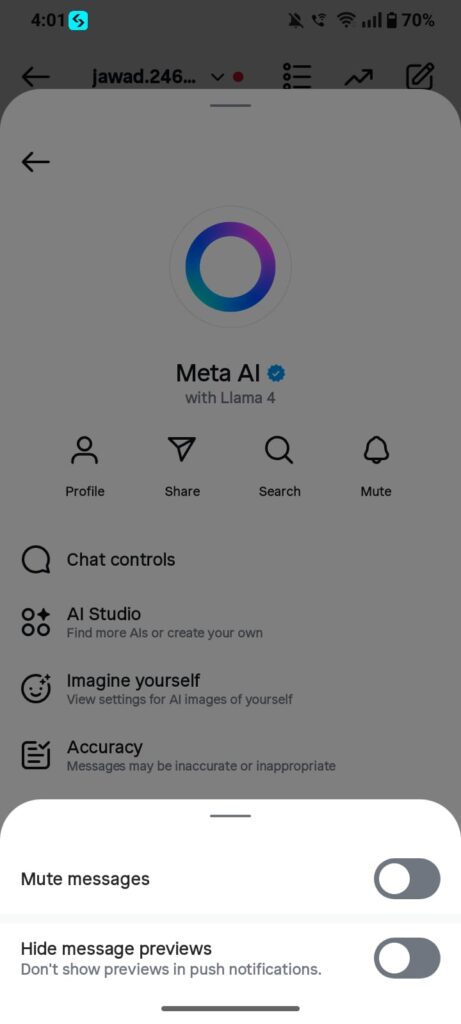
Step 1: Locate the search box at the top of the page and click it. The icon may have shown in box. Select the arrow that appears to the right of this search box.
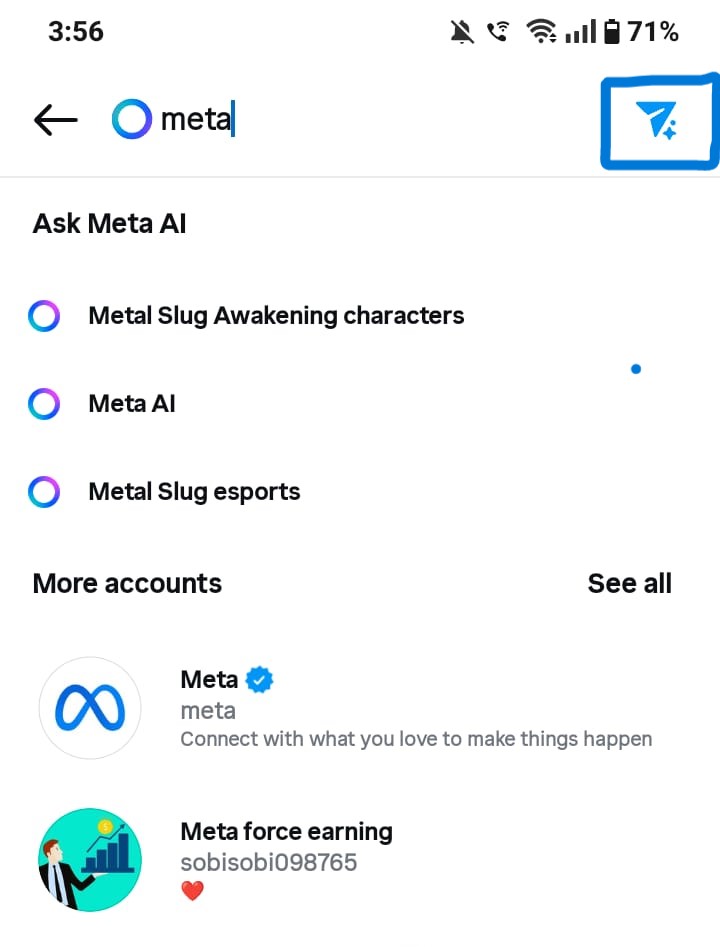
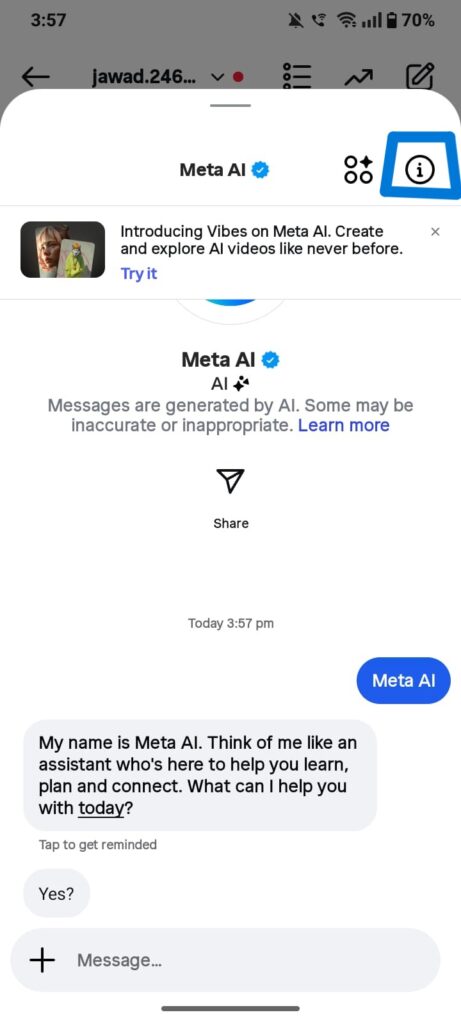
Step 2: This action will direct you to the chat interface. In the upper right corner of the page, click the “i” icon.
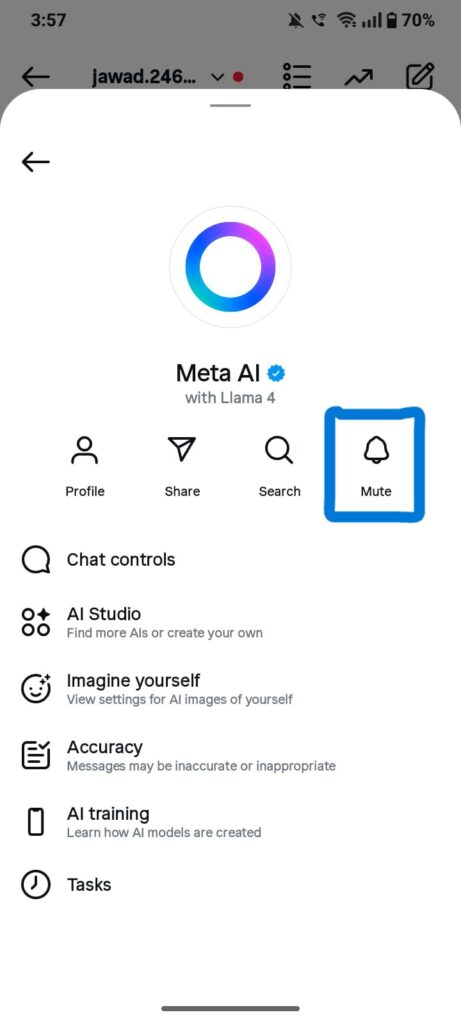
Step 3: On the following page, select the “mute” option.
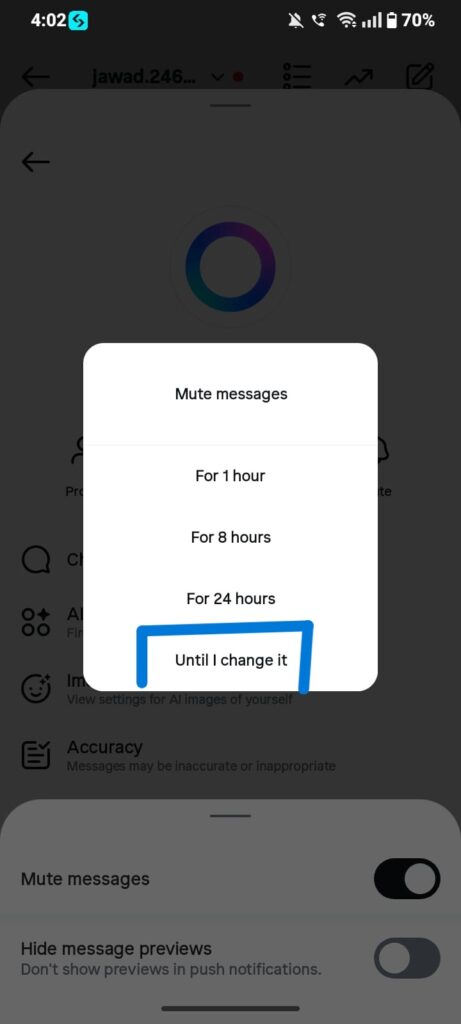
Step 4: Slide the control at the bottom labeled “silence notifications,” and choose the length of time you wish to mute the chat. If you prefer to mute it indefinitely, select the “until I change it” option.
Disabling Meta AI on Instagram leads to fewer suggested posts, focusing content on followed accounts. This enhances personal browsing but slows discovery of new trends. Users may need to manually search for popular hashtags. Advertisements become less targeted, which some may appreciate, while others might prefer personalized recommendations.
How to turn off meta ai on WhatsApp?
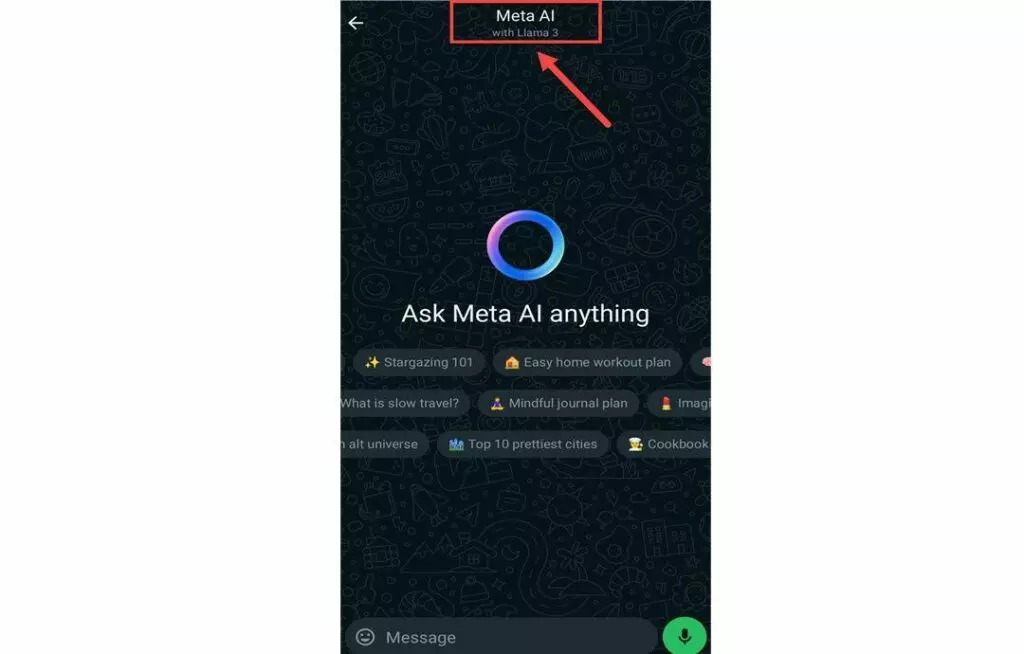
- Step 1: Open WhatsApp and go to the AI chat you want to silence.
- Step 2: Tap on the name or profile picture of the AI chat at the top to see its details.
Step 3: Look for “Notifications” in the profile options and select it.
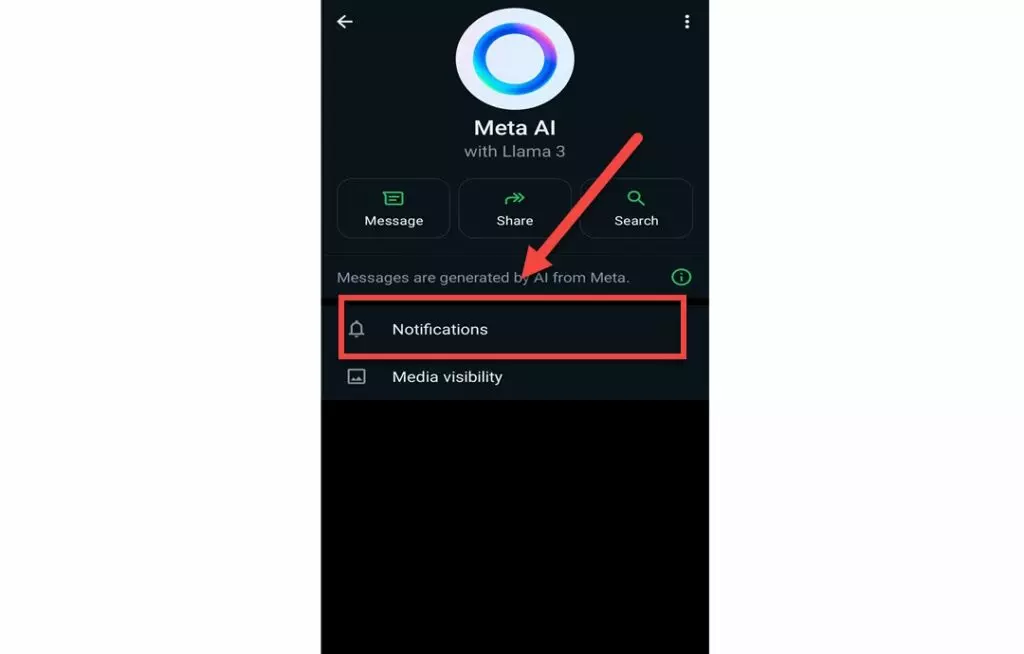
Step 4: In the notifications menu, choose the “mute” option.
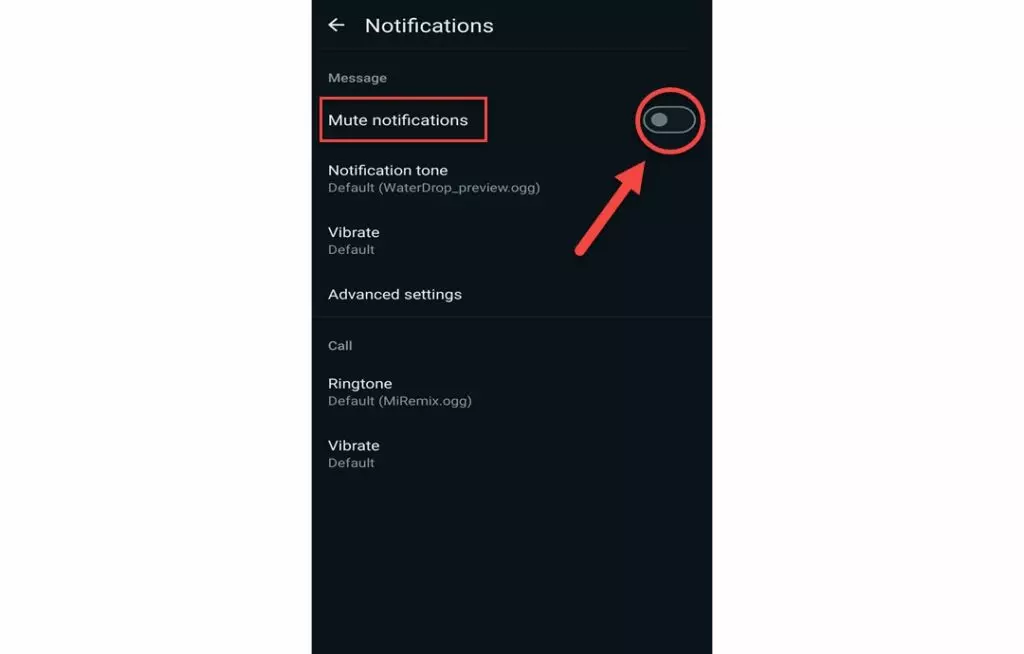
Step 5: Decide how long you want to mute notifications. You can pick from different time frames or choose “always” for no notifications forever.
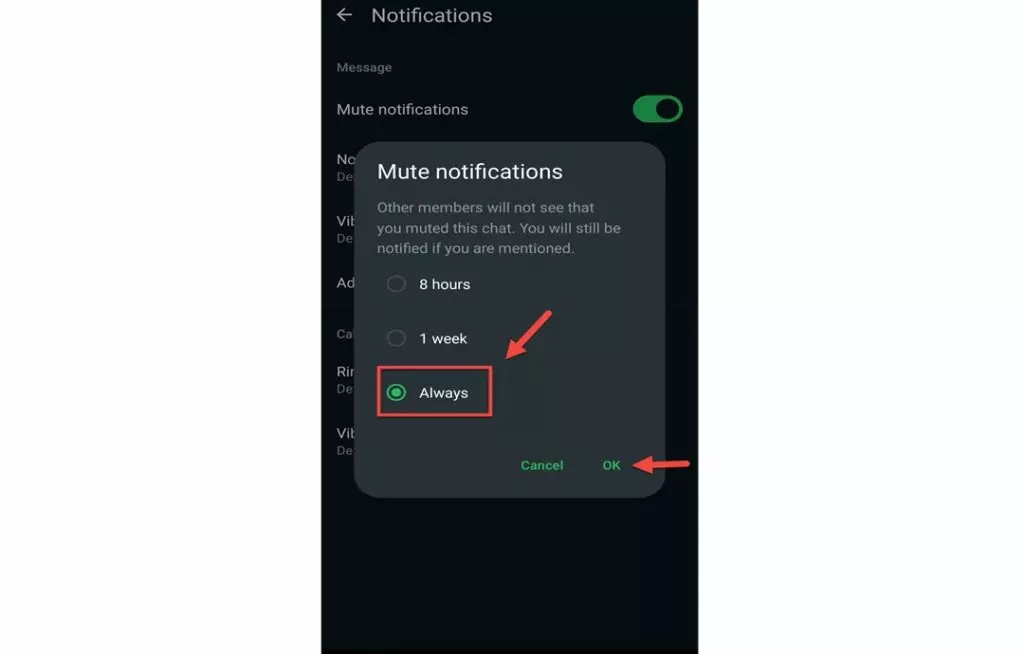
Step 6: Confirm your choice, and you won’t receive notifications from that chat anymore.
Recent studies and user feedback indicate that you can’t turn off Meta AI on WhatsApp because there isn’t an option to do so.
How to disable Meta AI in Messenger
In Messenger, Meta AI has its own special chatbot thread. If you want to mute or hide this chat, it’s easy to do.
- First, open the Messenger app on your device.
- Next, find the chat with Meta AI. It should be listed among your conversations.
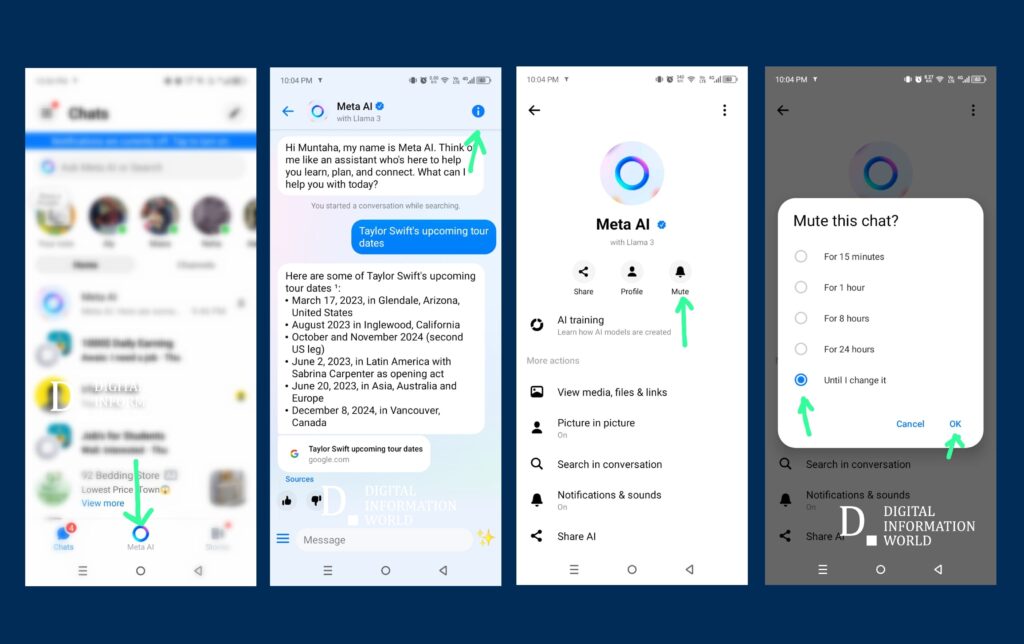
- Once you’ve located it, tap on the small “i” icon in the top right corner. This will open the chat settings.
- Now, look for the mute option. Tap on “Mute” and choose “Until I change it.” This will silence notifications from the Meta AI chat.
- If you want to keep your inbox tidy, you can also choose to archive or delete the chat. Archiving will hide the conversation from view without deleting it.
On the other hand, deleting the thread will remove the chat history but still let you start a new conversation whenever you want.
This way, you have control over how and when you interact with Meta AI in Messenger.
Advanced Solutions
If muting doesn’t do the trick, here are some other options you can try, but keep in mind a few things.
Older App Versions (Android Only)
Using previous versions of the Meta AI app on Android devices may obscure certain AI features. However, it’s essential to understand the risks involved. These older versions do not receive security updates, which could leave your device vulnerable. Additionally, downloading and installing unofficial APKs can further compromise your security, exposing your personal data to potential threats.
Deleting Meta AI Chats
If you choose to delete your conversations with Meta AI, it’s important to note that this action merely removes them from your chat history. Deleting chats does not disable the functionality of the AI itself. The AI remains active and may still collect data or respond to queries unless explicitly disabled through other means.
Privacy Center Objection
In the Privacy Center, users have the option to object to the use of their data for AI training purposes. However, it’s crucial to recognize that this objection does not eliminate the presence of Meta AI within applications. The AI features may continue to operate, and users should remain aware of how their information is utilized despite expressing concerns.
Conclusion
Turning off Meta AI on platforms like Facebook, Instagram, WhatsApp, and Messenger is a straightforward process that anyone can do. By following the steps outlined in this article, you can easily adjust your privacy settings and take control of your data. It’s important to regularly review these settings to ensure you’re comfortable with the level of assistance and data collection. A little bit of time spent on these adjustments can provide you with a greater sense of security and privacy online. So go ahead, take charge of your digital experience today